
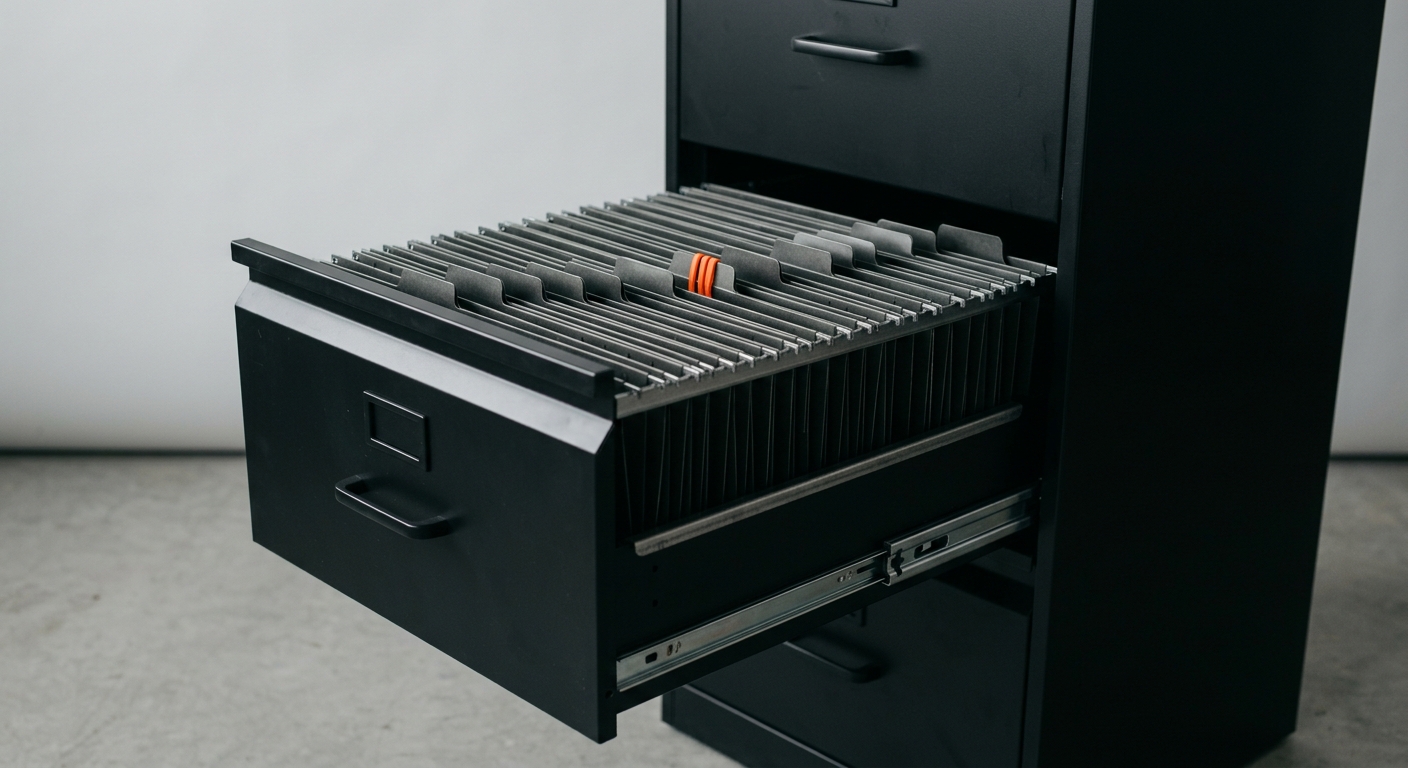
A typical 200-person Mittelstand company sits on roughly 4 terabytes of unstructured documents. Contracts in a SharePoint library nobody curates. Quality records in an old DocuWare instance. Production manuals on a file share. Decades of email attachments. Twenty years of paper that someone scanned but nobody indexed. And somewhere in there is the answer to the question the new project manager just asked the third person this morning.
The market has responded with a wave of “AI-powered” products. Every DMS vendor has retrofitted a copilot. Microsoft, Google, and Notion are pushing AI assistants into every workspace. Glean has built a 7-billion-dollar business on enterprise search. Open-source projects like Onyx promise the same capabilities without the licensing. And vendors all claim the same outcome: every employee can finally find what they need.
The reality on the ground is messier. Three different categories of tools get marketed under the same label, and Mittelstand companies routinely pick the wrong one for their actual problem. This guide separates the categories, names the leading tools in each, and gives you a decision framework you can apply on Monday.
TL;DR
Three categories, not one - AI-powered DMS (document lifecycle and compliance), AI knowledge assistants (questions across all your tools), and custom AI agents (act on documents, not just answer).
Leading AI DMS for the Mittelstand - DocuWare (best GoBD audit trail), M-Files (best metadata model), ELO and d.velop (best German integration depth).
Leading knowledge assistants - Microsoft Copilot for M365-native shops, Glean for cross-system search at enterprise scale, Notion AI for documentation-heavy teams, Onyx as the open-source self-hosted option.
GoBD still matters - none of the US-built knowledge assistants replace a compliant DMS for tax-relevant documents. The right architecture usually keeps the DMS and adds an AI layer on top.
Custom beats packaged when you have legacy systems no vendor connects to natively, when you need outcomes a per-seat tool cannot guarantee, or when the workflow is too specific for a generic copilot.
The Document Chaos Problem
Before naming tools, name the problem. Most Mittelstand companies do not have a tooling problem - they have an organisational problem that no tool will fix on its own. AIIM’s 2024 industry study found that 68 percent of organisations still cite “information chaos” as their top content challenge20. The chaos has five typical sources.
- Parallel storage systems - The average Mittelstand company runs 3 to 5 document stores in parallel: a DMS, SharePoint or OneDrive, network file shares, an ERP attachment area, and a vertical tool like a CAD vault or quality management system. The same document often exists in 2 of them, in different versions.
- Inconsistent metadata - Files get classified differently by different teams. Customer 4711 might appear as “Mueller GmbH”, “Mueller_4711”, “K4711_Mueller”, or “Mueller-Industrie”. Search across systems fails because the keys do not match.
- Permission sprawl - SharePoint sites accumulate permissions over years. A 2024 Microsoft analysis found that the average enterprise SharePoint tenant has 13 percent of files over-shared. When you plug in Copilot, those over-shared files become discoverable through natural language.
- Tacit knowledge in heads - Forrester estimates that 70 to 80 percent of enterprise knowledge is never written down26. Knowledge assistants can only retrieve what was captured. If the answer lives in a senior engineer’s head, no tool finds it.
- Legacy paper and scanned PDFs - Decades of scanned documents have no text layer, no metadata, and inconsistent quality. They are invisible to standard search and unreliable for OCR-only AI tools.
Key Data Point
M-Files’ 2024 Knowledge Work Report surveyed 1,800 knowledge workers and found that the average professional spends 11 hours per week searching for information, with 35 percent of that time wasted on documents that cannot be found at all27. For a 100-person company at 60 EUR fully-loaded cost per hour, that is 3.4 million EUR per year of search overhead.
A tool that does not also fix the underlying organisation will spread the chaos faster, not slower. Knowledge assistants in particular are amplifiers - they make every accessible document instantly more discoverable, including the ones you did not want discovered.
| Pain Point | Frequency in Mittelstand | What Fixes It |
|---|---|---|
| Documents in 3+ systems | Roughly 80% of companies | Federated search, not new storage |
| Inconsistent metadata | Universal | Auto-classification with AI, manual cleanup first |
| Permission oversharing | 13% of files on average20 | Permission audit before any AI rollout |
| Tacit knowledge gaps | 70-80% of know-how unwritten26 | Structured knowledge capture, not just tools |
| Legacy paper archives | Most companies 20+ years old | Selective re-scan with modern IDP, not full migration |
| Time lost searching | 11 hours per week per worker27 | The actual ROI lever for AI tools |
DMS vs Knowledge Base: Why They Are Converging - And Why That Confuses Buyers
Document management systems and knowledge bases solved different problems for thirty years. AI is now blurring the line. Vendors on both sides claim they can do the other category’s job, but the underlying architectures still differ in ways that matter for compliance, retention, and cost.
The traditional DMS
- Purpose - Manage the formal lifecycle of business documents: capture, classify, store, retain, archive, delete on schedule.
- Strengths - Audit trails, versioning, immutable storage, retention rules, legal hold, GoBD-compliant archival.
- Weaknesses - Rigid metadata models, friction for non-power-users, limited usefulness for unstructured discovery questions.
- Typical users - Finance, HR, legal, quality, anyone with documents that have to survive a tax audit or court case.
The traditional knowledge base
- Purpose - Help people find the information they need to do their work, regardless of where it lives.
- Strengths - Fast search across heterogeneous sources, low friction to add content, conversational discovery.
- Weaknesses - No retention enforcement, weak audit trail, oversharing risk, no concept of legal hold.
- Typical users - Engineering, customer service, sales, anyone who answers questions for a living.
What AI changes
AI lets a DMS understand the content of a document, not just its metadata. It lets a knowledge assistant respect document-level permissions and source citations. The two categories are starting to look similar from the outside. They are not the same on the inside.
| Capability | AI-Powered DMS | AI Knowledge Assistant | Custom AI Agent |
|---|---|---|---|
| Document capture and classification | Yes (core capability) | No | Yes (workflow-specific) |
| GoBD-compliant retention | Yes (when configured) | No | Yes (when built on a compliant store) |
| Cross-system search | Limited | Yes (core capability) | Yes (workflow-specific) |
| Conversational Q&A | Increasingly yes | Yes (core capability) | Yes (workflow-specific) |
| Take action (not just retrieve) | Limited | No | Yes (core capability) |
| Legal hold and audit trail | Yes | No | Depends on storage layer |
| Best for | Compliance, archives | Productivity, search | Specific high-value workflows |
The Mittelstand mistake is to treat these as alternatives. They are not. A 100-person company with regulated documents almost always needs an AI-powered DMS for compliance plus either a knowledge assistant or a custom agent for productivity. Picking only one means either compliance gaps or daily friction.
What “AI-Powered” Actually Means in This Category
Every vendor uses the same words. Underneath, they refer to very different technical capabilities. When evaluating a tool, force the vendor to name which of these four capabilities they actually deliver in production today.
- Intelligent Document Processing (IDP) - Extract structured fields from unstructured documents: invoice line items, contract clauses, form values, identity documents. Modern IDP uses LLMs rather than rule-based templates, which means it generalises across formats without retraining for every new vendor or layout.
- Auto-classification and tagging - Read a new document, infer its type and metadata, and file it automatically. The hardest part is not the AI but the schema - if your taxonomy is messy, auto-classification just makes the mess scalable.
- Retrieval-augmented generation (RAG) - Search across your indexed content for relevant passages, then use an LLM to synthesise an answer with citations. This is the technology behind every “chat with your data” product. Quality depends almost entirely on the retrieval step, not the model.
- Agentic workflows - The AI does not just answer, it acts: opens the right document, copies the right value into the right system, sends the right approval request. This is where AI agents diverge from copilots, and where most of the per-process ROI actually shows up.
Vendor Question
Ask every vendor: “Show me a customer in production using your AI feature for exactly the workflow we are buying it for, with the volume we are running.” If the answer is a roadmap, a beta, or a different use case, treat the AI feature as marketing, not capability.
Why the difference matters for ROI
The four capabilities have wildly different ROI profiles. IDP and agentic workflows automate work that would otherwise need a human - the ROI is direct labour hours saved. Auto-classification and RAG remove friction but rarely eliminate a role - the ROI is softer, expressed in faster cycle times and fewer escalations.
| AI Capability | Typical ROI Lever | Time to Value | Implementation Risk |
|---|---|---|---|
| Intelligent Document Processing | Direct FTE replacement on high-volume document types | 3-6 months | Medium (data quality, edge cases) |
| Auto-classification | Reduced manual filing time, better findability | 2-4 months | Medium (taxonomy hygiene) |
| Retrieval-augmented generation | Search time savings, faster onboarding | 4-8 weeks | Low to medium (oversharing risk) |
| Agentic workflows | Full end-to-end process automation | 8-12 weeks per use case | Medium to high (integration depth) |
“AI offers enormous opportunities for companies, regardless of size or industry. The greatest danger is simply ignoring AI and missing the train.”
- Dr. Ralf Wintergerst, President of Bitkom2
Category 1: The Best AI-Powered DMS for the Mittelstand
These tools manage the full lifecycle of business documents and have added AI layers for extraction, classification, and conversational retrieval. They are the right answer when GoBD compliance, audit trails, and immutable archival are non-negotiable. All four of the leading Mittelstand DMS vendors are headquartered in Germany or have strong DACH practices, which matters for support, language coverage, and data residency.
DocuWare - the GoBD audit champion
- What it is - Cloud-first DMS with deep workflow automation for invoices, contracts, HR documents, and purchase orders. Headquartered in Germering near Munich, owned by Ricoh.
- AI features - DocuWare Intelligent Indexing for auto-classification, an embedded AI assistant for Q&A across stored documents, and integration with Microsoft 365 Copilot.
- Compliance - Independently certified to IDW PS 880 by PSP Peters Schoenberger3, plus ISO 27001 and SOC 2 Type 2. The strongest GoBD audit posture in the German DMS market.
- Deployment - Cloud (EU data centres) or on-premise.
- Pricing - Per-user subscription typically 25 to 60 EUR per user per month depending on edition.
- Best for - Companies with strict audit requirements where the AI is a productivity bonus, not the primary purchase reason.
M-Files - the metadata-first approach
- What it is - DMS built around metadata rather than folder structures. A document is whatever its metadata says it is, regardless of where it physically lives.
- AI features - M-Files Aino, a generative AI assistant for natural-language Q&A across documents, plus auto-classification and metadata suggestion5. Microsoft Copilot connector available.
- Compliance - GoBD-relevant features supported, certification depends on customer configuration. ISO 27001 certified.
- Deployment - Cloud, hybrid, or on-premise.
- Pricing - Custom-quoted, typically lands in the 40 to 80 EUR per user per month range.
- Best for - Companies whose document workflows span many storage systems and need a unified metadata layer rather than another silo.
ELO Digital Office - the broad ECM suite
- What it is - Stuttgart-based ECM suite covering DMS, workflow, archiving, and contract management. Strong installed base in German manufacturing.
- AI features - ELO Docxtractor for AI-driven document analysis, ELO Flows for low-code process automation, and the ELO Assistant for natural-language interaction6.
- Compliance - GoBD conformity declared, BSI C5 alignment for cloud deployments.
- Deployment - Cloud, hybrid, or on-premise. Strong on-prem credentials.
- Pricing - Custom-quoted, mid-market editions typically 30 to 50 EUR per user per month.
- Best for - Manufacturing and engineering Mittelstand companies that want one suite covering documents, contracts, and process automation.
d.velop - the Microsoft 365 native option
- What it is - Gescher-based DMS vendor with the deepest Microsoft 365 integration in the German market. Strong public-sector and SME footprint.
- AI features - d.velop pilot, an AI assistant for document Q&A and workflow support, plus AI-powered classification.
- Compliance - GoBD conformity declared, ISO 27001 certified, BSI C5 attestation available.
- Deployment - Cloud (German data centres), hybrid, or on-premise.
- Pricing - d.velop documents starts at 27 EUR per user per month, scales to roughly 55 EUR for full-feature packages7.
- Best for - Companies already deep in Microsoft 365 that want a DMS that feels like a native extension rather than a separate application.
OpenText Content Cloud - the enterprise option
- What it is - Enterprise content services platform with global reach and the broadest feature set, including Aviator AI for content-aware Q&A8.
- AI features - OpenText Aviator across content, business workflow, and customer service. Deepest integration set with SAP and Oracle.
- Compliance - Full enterprise compliance suite including GoBD-relevant capabilities.
- Deployment - Cloud, on-premise, or hybrid.
- Pricing - Enterprise-grade, typically only economical above 500 users.
- Best for - Larger Mittelstand companies and family-owned enterprises that have outgrown SME-tier DMS tools and need depth across many document types.
| Vendor | HQ | GoBD Audit | On-Premise | Pricing (per user/month) | Sweet Spot |
|---|---|---|---|---|---|
| DocuWare | Germany | IDW PS 8803 | Yes | 25-60 EUR | Audit-first compliance |
| M-Files | Finland | Customer-configured | Yes | 40-80 EUR | Metadata across silos |
| ELO | Germany | Vendor-declared | Yes | 30-50 EUR | Manufacturing + workflow |
| d.velop | Germany | Vendor-declared | Yes | 27-55 EUR | Microsoft 365 native |
| OpenText | Canada | Vendor-declared | Yes | Custom (enterprise) | 500+ users, SAP/Oracle |
AI-Powered DMS: Pros and Cons
Strengths
- ✓ Compliance-grade archival - audit trail, retention, legal hold built in
- ✓ German DACH presence - language, support, data residency
- ✓ Workflow automation - invoice, contract, HR processes out of the box
- ✓ Mature integration - SAP, DATEV, Microsoft 365 connectors
Weaknesses
- ✗ AI features still maturing - the conversational layer is often 12-18 months behind dedicated knowledge assistants
- ✗ Higher friction - end-user adoption requires training
- ✗ Per-seat costs - scale by headcount, not by use case
- ✗ Single-system thinking - weak at federating across non-DMS sources
Not sure which category fits your case?
Book a 30-minute call. We will map your document landscape and recommend a path before you commit to a vendor.

Category 2: The Best AI Knowledge Assistants for the Mittelstand
These tools sit on top of your existing storage and answer questions in natural language across all of it. They do not store, archive, or retain - they retrieve and synthesise. For a Mittelstand company drowning in tribal knowledge across Slack, Confluence, SharePoint, and email, they are the highest-leverage AI investment, typically deployable in weeks rather than months.
Microsoft Copilot for Microsoft 365 - the M365-native default
- What it is - Generative AI woven directly into Word, Excel, Outlook, Teams, and SharePoint, grounded in your Microsoft Graph data9.
- AI capabilities - Summarise meetings, draft emails based on context, answer questions across SharePoint and OneDrive, generate slides from documents, surface insights from Excel.
- Compliance - EU data residency available, DSGVO posture documented, no automatic training on customer data.
- Pricing - 30 EUR per user per month on top of a qualifying Microsoft 365 license.
- Best for - Companies already deep in Microsoft 365 with reasonably clean SharePoint permissions, looking for a productivity uplift across the whole organisation.
- Watch out for - SharePoint oversharing becomes Copilot oversharing. A permission audit is mandatory before rollout, not optional.
Glean - the cross-system enterprise search leader
- What it is - Enterprise AI platform that indexes content across more than 100 tools (Slack, Confluence, Google Drive, Jira, Salesforce, etc.) and provides unified search and Q&A12.
- AI capabilities - Permission-aware search, conversational answers with citations, custom AI agents (Glean Workflows), integration with leading LLM providers.
- Compliance - SOC 2 Type 2, ISO 27001, GDPR. Private cloud option available for stricter requirements.
- Pricing - Custom-quoted, typically 40 to 60 EUR per user per month at mid-market scale plus six-figure implementation.
- Best for - Larger Mittelstand companies (250+ employees) with sprawling tool stacks where knowledge is genuinely fragmented across systems.
- Watch out for - High total cost of ownership and a centralised index that needs maintenance. Smaller companies often find it overkill.
Notion AI - the documentation-heavy team option
- What it is - AI built into the Notion workspace, with Q&A across Notion content and increasingly across connected tools10.
- AI capabilities - Generate content from prompts, summarise pages, answer questions across the workspace, AI-powered databases.
- Compliance - SOC 2 Type 2, ISO 27001, GDPR. EU data residency for enterprise plans.
- Pricing - From 10 EUR per member per month for AI features on top of the Notion plan.
- Best for - Modern, documentation-heavy teams that already live in Notion. Especially common in engineering and product organisations.
- Watch out for - Only useful if your knowledge actually lives in Notion. Limited connectors to legacy systems.
Onyx (formerly Danswer) - the open-source self-hosted option
- What it is - MIT-licensed open-source enterprise search and chat platform that you self-host. Originated as Danswer, rebranded to Onyx11.
- AI capabilities - Connectors to 40+ tools, RAG-based Q&A with citations, custom AI assistants, BYO-LLM (bring your own language model).
- Compliance - Self-hosted means data never leaves your infrastructure. You control everything, including DSGVO posture.
- Pricing - Open source is free. Enterprise edition with SSO, advanced auth, and support is custom-quoted.
- Best for - Companies with strong internal IT, strict data sovereignty needs, or a desire to avoid vendor lock-in. Used by Netflix, Ramp, and Thales Group in production.
- Watch out for - Self-hosting needs real operational capacity. The license is free, but running it in production is not.
GoSearch - the federated alternative
- What it is - Enterprise AI search platform with a federated-first architecture: queries data where it lives rather than building a central index.
- AI capabilities - Cross-system search, AI agents, custom workflows. Lower index maintenance overhead than Glean.
- Compliance - SOC 2, ISO 27001, GDPR.
- Pricing - Custom-quoted, positioned as a lower-TCO Glean alternative.
- Best for - Mid-market companies that want Glean-like capabilities without the enterprise pricing or central-index complexity.
| Tool | Architecture | Self-Hostable | Pricing | Mittelstand Fit |
|---|---|---|---|---|
| Microsoft Copilot | M365-native | No | 30 EUR per user | Strong if already on M365 |
| Glean | Centralised index | Private cloud | 40-60 EUR + implementation | 250+ employees, multi-tool |
| Notion AI | Inside Notion workspace | No | From 10 EUR per member | Notion-centric teams |
| Onyx (Danswer) | Self-hosted, BYO-LLM | Yes (MIT licence) | Free / custom enterprise | Strong IT, sovereignty needs |
| GoSearch | Federated | No | Custom (mid-market) | Glean alternative, lower TCO |
Category 3: Open-Source and Custom AI Agents
The third category is the one most Mittelstand companies overlook: a custom AI agent built on top of your existing systems, designed for a specific high-value workflow rather than for general productivity. This is where packaged tools hit their limits - when the workflow is too specific, the systems too legacy, or the outcome too critical for a generic copilot.
When a custom agent beats a packaged tool
- Your data lives in legacy systems no vendor connects to natively - SAP ECC, custom-built ERPs, industry-specific CAD vaults, on-premise SharePoint 2016, file shares with two decades of folder accretion.
- The workflow is too specific for a generic copilot - Approving supplier contracts under your internal policy, reviewing engineering change requests against your quality manual, routing customer tickets based on your service-level matrix.
- You need outcomes a per-seat tool cannot guarantee - A copilot makes everyone marginally faster. A custom agent owns an entire process end-to-end and ships measurable cycle-time reduction.
- Sovereignty matters - You need full control over where data lives, what model is used, and how the agent behaves under load.
- The economics flip at scale - Per-seat tools get expensive as headcount grows. Per-use-case agents have flat economics once they are live.
The three components of a custom document AI agent
- The retrieval layer - A vector index over your relevant documents (built on Pinecone, Weaviate, pgvector, or similar), with permission filters that respect your existing access controls.
- The reasoning layer - An LLM (Claude, GPT, or a local model) that synthesises retrieved passages and decides what to do next. The model is increasingly the cheap, swappable part.
- The action layer - Connectors to your systems of record (SAP, DATEV, Salesforce, custom DBs) that let the agent take real actions, not just answer questions.
Packaged Tool vs Custom Agent
Packaged Tool
- ✓ Fast to start - turn it on in days
- ✓ Vendor maintains it - upgrades, security patches, model updates
- ✓ Broad coverage - works for many use cases at once
- ✗ Generic outcomes - cannot tune to your specific workflow
- ✗ Per-seat economics - scales with headcount
Custom Agent
- ✓ Built for one workflow - delivers measurable outcomes
- ✓ Connects to legacy systems - SAP ECC, mainframes, custom DBs
- ✓ Per-use-case economics - flat cost as headcount grows
- ✓ Full sovereignty - data, model, behaviour stay yours
- ✗ Slower to start - 8 to 12 weeks per use case
Most companies need both
The right answer is rarely “all custom” or “all packaged”. Most Mittelstand companies end up with three layers: a compliant DMS for archival, a packaged knowledge assistant for general productivity, and one or two custom agents for the highest-value, company-specific workflows. The three layers reinforce each other - the DMS is the system of record, the assistant makes everything searchable, and the agents do the work.
German Compliance: GoBD, DSGVO, EU AI Act, BSI C5
No tool selection survives contact with German compliance reality. Four regimes matter for AI document tools in the Mittelstand. None of them rule out AI - all of them shape what counts as a defensible architecture.
GoBD - the audit trail requirement
- What it is - The Grundsaetze zur ordnungsmaessigen Fuehrung und Aufbewahrung von Buechern, the Federal Ministry of Finance’s rules for digital bookkeeping and document retention4.
- What it requires - Tamper-proof storage, complete audit trail, retention for typically 10 years, traceability of every change, no unauthorised deletion.
- What it means for AI tools - Tax-relevant documents (invoices, contracts, accounting records) must live in a system that satisfies GoBD. Most US-built knowledge assistants do not. Most German DMS systems do.
- The certification question - GoBD itself is a regulation, not a certification. The closest thing is an IDW PS 880 audit by an independent auditor16. DocuWare is the only major Mittelstand DMS with a current independent PS 880 attestation3.
DSGVO - the data protection regime
- Data minimisation - The AI should only index data it needs for its purpose. Indexing every Slack channel for a sales-only use case fails the minimisation test.
- Purpose limitation - Each use case needs its own legal basis. A general “productivity” rationale rarely holds up.
- Subject rights - Right to access, right to deletion, right to explanation. The AI architecture must support all three, including the ability to remove a person’s data from the index.
- Cross-border transfer - LLM calls to US-hosted providers need a documented transfer mechanism. EU-hosted models or self-hosted alternatives avoid the question entirely.
EU AI Act - the risk-based regulation
- Timeline - General-purpose AI obligations applied from August 2025. Full applicability lands on 2 August 202613.
- Risk categories - Most document AI tools fall under limited risk or minimal risk. High risk applies to AI in employment decisions, credit scoring, and certain regulated functions.
- Penalties - Up to 35 million EUR or 7 percent of global turnover for the worst violations14. SMEs get lower caps.
- SME relief - Priority sandbox access, lighter documentation burden, reduced fines.
BSI C5 - the cloud computing standard
- What it is - The German Federal Office for Information Security’s catalogue for cloud computing compliance15.
- When it matters - Critical infrastructure (KRITIS), public-sector customers, financial services. Increasingly requested in enterprise procurement.
- What it means for tool selection - DocuWare, d.velop, and Microsoft hold BSI C5 attestations. Many newer knowledge assistants do not. Custom agents inherit the posture of their underlying cloud.
German Compliance Pre-Rollout Checklist
- GoBD-relevant documents identified and routed to a compliant DMS
- IDW PS 880 audit certificate confirmed for the DMS vendor
- DSGVO data processing agreement (Auftragsverarbeitungsvertrag) signed
- EU data residency confirmed for all LLM calls and storage
- Subject rights workflow defined (access, deletion, explanation)
- Permission audit completed before connecting any knowledge assistant
- EU AI Act risk classification documented for each use case
- Betriebsrat consultation initiated where employee data is in scope
- BSI C5 attestation confirmed if KRITIS or public sector applies
- Logging and audit trail tested before production rollout
Decision Framework: Which Tool for Which Problem
No tool is universally best. The right answer depends on which problem dominates your situation. Use this framework to narrow the shortlist before you ever talk to a vendor.
| Your Situation | First Move | Tool Type |
|---|---|---|
| You have no DMS and tax-relevant documents are everywhere | Start with a compliant DMS, not a knowledge assistant | DocuWare, d.velop, or ELO |
| You have a working DMS but employees still cannot find anything | Layer a knowledge assistant on top of existing storage | Copilot, Glean, Onyx |
| One specific workflow eats 20+ hours per week of skilled time | Build a custom agent for that workflow first | Custom AI agent |
| You are deep in Microsoft 365 with reasonable permission hygiene | Pilot Copilot before considering Glean | Microsoft 365 Copilot |
| Your knowledge is split across 5+ tools (Slack, Confluence, etc.) | Federated search beats per-tool AI | Glean or GoSearch |
| You need full data sovereignty (KRITIS, defence, finance) | Self-hosted is the only viable path | Onyx or custom agent |
| You ran a pilot that did not deliver outcomes | Diagnose whether it was the wrong category, not just the wrong tool | Re-scope before re-tooling |
The four-question pre-purchase test
- What specific workflow or question are you trying to solve? - If the answer is “general productivity”, you are not ready to buy yet. Pick one workflow.
- Where does the relevant data live today? - Inside one system? A packaged tool is fine. Across legacy systems? You probably need a custom layer.
- What outcome would justify the cost? - If you cannot name a measurable outcome (hours saved, cycle time reduced, errors avoided), the project will fail regardless of tool.
- What is the compliance posture required? - GoBD-relevant? You need a DMS or a custom build on a compliant store. DSGVO concerns? EU-hosted or self-hosted only.
Tool Selection Red Flags
- Vendor cannot show a production reference for your exact workflow
- AI features are on the roadmap but not in the current product
- Pricing is custom-quoted without transparent per-seat anchors
- No production reference in your size range or country
- Compliance answers are vague (“GoBD-compatible” instead of “IDW PS 880 certified”)
- Implementation timeline is “a few weeks” for an enterprise rollout
- Pilot includes the whole company instead of one team
- Success metrics are not defined before the contract is signed
How Superkind Fits
Superkind builds custom AI agents for Mittelstand companies. The approach is process-first rather than tool-first - meaning the starting point is your actual workflows, not a generic platform you have to adapt to. In the document and knowledge space, that usually means one of three engagements.
- Custom AI agent on top of your existing DMS - Keep DocuWare, ELO, d.velop, or whatever you run. Add an agent that handles a specific workflow end-to-end - reviewing supplier contracts, processing engineering change requests, drafting customer responses against your knowledge base.
- Knowledge agent across multiple systems - A single agent that reads from SharePoint, your DMS, file shares, and ticketing systems, with permission-aware retrieval and source citations on every answer.
- Document AI for a specific high-volume process - Custom IDP for tax-relevant documents that traditional OCR cannot handle reliably, with hand-off to your accounting system.
- Sits on top of your stack - No rip-and-replace, no platform to learn. The agent connects to your existing tools via APIs.
- Live in weeks - First use case in production within 8 to 12 weeks, measurable outcomes from day one.
- Outcome-based pricing - Per use case, tied to a defined business outcome. No per-seat licences.
- EU and on-premise deployments - Data residency and sovereignty options for regulated industries.
- Built for the Mittelstand - DSGVO, GoBD, and Betriebsrat realities are part of the design, not a compliance afterthought.
| Approach | Packaged Knowledge Tool | Superkind Custom Agent |
|---|---|---|
| Starting point | Generic product features | Your specific workflow |
| Integration | Pre-built connector set | Whatever your systems need |
| Pricing | Per seat, per month | Per use case, tied to outcome |
| Time to first value | Days to weeks | 8-12 weeks per use case |
| Compliance fit | Generic posture | Designed for GoBD, DSGVO, Betriebsrat |
| Best use | General productivity | Specific high-value workflow |
Superkind: Honest Trade-Offs
Strengths
- ✓ Fits your workflow - built around your actual process, not a template
- ✓ Connects legacy systems - SAP ECC, custom DBs, on-prem SharePoint
- ✓ Outcome-based pricing - pay for results, not seats
- ✓ Mittelstand-aware - GoBD, DSGVO, Betriebsrat are in scope from day one
- ✓ EU and on-prem options - full data sovereignty when required
Limits
- ✗ Not a self-serve platform - we engage directly with each client
- ✗ Not for company-wide rollout in week one - we start with one workflow
- ✗ Not for simple use cases - if Notion AI solves it, use Notion AI
- ✗ Requires process access - we need to see how the work actually happens
“About a quarter of our survey respondents report that they have started scaling at least one agentic AI system, but usually only in one or two business functions.”
- Michael Chui, Senior Fellow at McKinsey Global Institute25
Related Articles
- From SharePoint to AI-Powered Knowledge Base for the Mittelstand
- Intelligent Document Processing: How the Mittelstand Replaces OCR With AI Agents
- AI for Knowledge Transfer: Capturing What Retiring Boomers Know Before They Leave
- Agent-Native Documentation: Why Mittelstand Wikis, ERPs, and SOPs Need to Be Written for AI Agents
- SAP and AI Agents: The Pragmatic Path Through S/4HANA, ECC, and Business One
- Sovereign AI for the Mittelstand
Frequently Asked Questions
A DMS manages the full lifecycle of formal documents - capture, classification, retention, archival, audit. An AI knowledge assistant answers questions across whatever information exists in your tools, including Slack messages, wikis, and PDFs. Most Mittelstand companies need both, but for different reasons: the DMS for compliance, the knowledge assistant for daily productivity.
No. They are search and assistant layers, not archival systems. They do not handle GoBD retention rules, immutable storage, or legally compliant deletion. They sit on top of your existing storage and improve retrieval. For German Mittelstand companies subject to GoBD, you keep your DMS for compliant archival and add an AI layer for productivity.
DocuWare holds an independent IDW PS 880 audit certificate from PSP Peters Schoenberger, plus ISO 27001 and SOC 2 Type 2. ELO and d.velop declare GoBD conformity based on internal audits and customer-side configuration. M-Files supports GoBD-relevant workflows but compliance always depends on how you configure retention, audit trails, and access controls.
Three different capabilities get bundled under that label: extraction (pulling structured data from invoices, contracts, forms), classification (auto-filing documents based on content), and retrieval (answering questions using the documents as knowledge). Most vendors advertise all three but excel at only one. Ask vendors which specific capability their AI handles in production today.
Copilot is the path of least resistance for Microsoft-native shops, but it has known limits in the Mittelstand context: oversharing risk when SharePoint permissions are loose, limited handling of legacy file shares and SAP attachments, and per-user licensing that adds up at 30 EUR per user per month on top of existing M365 costs. For many companies, layering a custom agent on top of SharePoint delivers better results at lower total cost.
AI-powered DMS systems typically run 30 to 60 EUR per user per month. Knowledge assistants like Notion AI start at 10 EUR per member, Microsoft Copilot at 30 EUR per user, and Glean is custom-quoted in the 40 to 60 EUR per user range plus implementation. A custom AI agent built on your existing systems is usually charged per use case rather than per seat, often landing below 30 EUR per user equivalent at scale.
DocuWare, ELO, and d.velop offer on-premise or hosted-in-Germany deployments. Onyx (formerly Danswer) is open-source and fully self-hostable. Glean offers a private cloud option but at enterprise pricing. Microsoft Copilot and Notion AI are SaaS-only with EU data residency options but not true on-premise. For BSI C5 or sovereign cloud requirements, the shortlist narrows quickly.
A focused AI DMS rollout in the Mittelstand takes 3 to 6 months including process mapping, migration, and training. A knowledge assistant layered on existing tools takes 4 to 8 weeks. A custom AI agent built on your existing stack takes 8 to 12 weeks per use case. The biggest time sink is rarely the technology - it is permission cleanup and process clarification.
Paper archives need scanning and OCR before any AI tool can touch them. Most Mittelstand companies still have decades of file shares with inconsistent folder structures and duplicate copies. Before plugging in an AI tool, audit what should be migrated, what should be archived offline, and what should be deleted under GoBD retention rules. Skipping this step is the single biggest reason knowledge assistant rollouts disappoint.
Yes, but for most Mittelstand use cases the obligations are limited. Most AI DMS and knowledge tools fall under the limited-risk or minimal-risk categories of the Act, which require transparency and human oversight rather than full conformity assessments. The Act becomes fully applicable on 2 August 2026, and SMEs get priority sandbox access and lower penalty caps. The bigger compliance question for the Mittelstand is still GoBD and DSGVO.
Buy when your needs are generic and your data lives in one mainstream system. Build when your processes are specific, your data spans legacy systems no vendor connects to natively, or when you need outcomes a per-seat tool cannot guarantee. Many Mittelstand companies end up doing both - a packaged tool for general productivity and a custom agent for a high-value, company-specific workflow.
Use retrieval-augmented generation (RAG) so the AI cites the exact source document for every answer. Restrict the model to only your indexed content, not its general training data. Require source citations on every response, and surface a "no source found" message rather than letting the model improvise. Test with adversarial questions before rollout to confirm the agent admits when it does not know.
In companies with a works council, introducing AI tools that can monitor or evaluate employee work usually requires a Betriebsvereinbarung under Section 87 of the Betriebsverfassungsgesetz. Knowledge assistants that index personal Slack and email messages fall squarely in this category. Plan for a 6 to 12 week negotiation window and involve the Betriebsrat in the requirements phase, not at the end.
Sources
- Bitkom - Breakthrough in Artificial Intelligence (2025)
- Bitkom - Durchbruch bei Kuenstlicher Intelligenz (Dr. Ralf Wintergerst)
- DocuWare - IDW PS 880 GoBD Certification
- GoBD - Federal Ministry of Finance (BMF) Guidance
- M-Files - Aino AI Assistant Press Release
- ELO Digital Office - ELO Docxtractor and AI Suite
- d.velop - documents pricing and packages
- OpenText - Content Cloud and Aviator AI
- Microsoft - Copilot for Microsoft 365 pricing
- Notion - AI pricing and capabilities
- Onyx (formerly Danswer) - Open-source AI search
- Glean - Enterprise AI search platform
- EU AI Act - Implementation Timeline
- EU AI Act - Article 99: Penalties
- BSI - Cloud Computing Compliance Criteria Catalogue (C5)
- IDW - Standards on Auditing of Software (PS 880)
- DIHK - Skilled Labour Report 2025/2026
- Gartner - 40% of Enterprise Apps Will Feature AI Agents by 2026
- McKinsey - The State of AI (2025)
- AIIM - State of Intelligent Information Management (2024)
- IDC - Worldwide Enterprise Content Applications Market Shares
- BusinessWire - 65% of Companies Accelerating IDP Projects (2025)
- Betriebsverfassungsgesetz - Section 87 (Co-determination Rights)
- Fraunhofer AISEC - Secure AI for Enterprise Knowledge
- McKinsey - The State of AI 2025: Agents, Innovation, and Transformation (Michael Chui)
- Forrester - The Forrester Wave: Enterprise Knowledge Management
- M-Files - Knowledge Work Report 2024
- agorum - Enterprise KI-Plattformen im Vergleich 2026
- ECMguide - Uebersicht zu DMS-Mittelstandspaketen
- Bitkom - Digital Office Index 2024
Ready to find what works for your documents?
Book a 30-minute call with Henri. We will map your document landscape, identify the highest-ROI use case, and outline a path - no commitment, no sales pitch.
Book a Demo →