
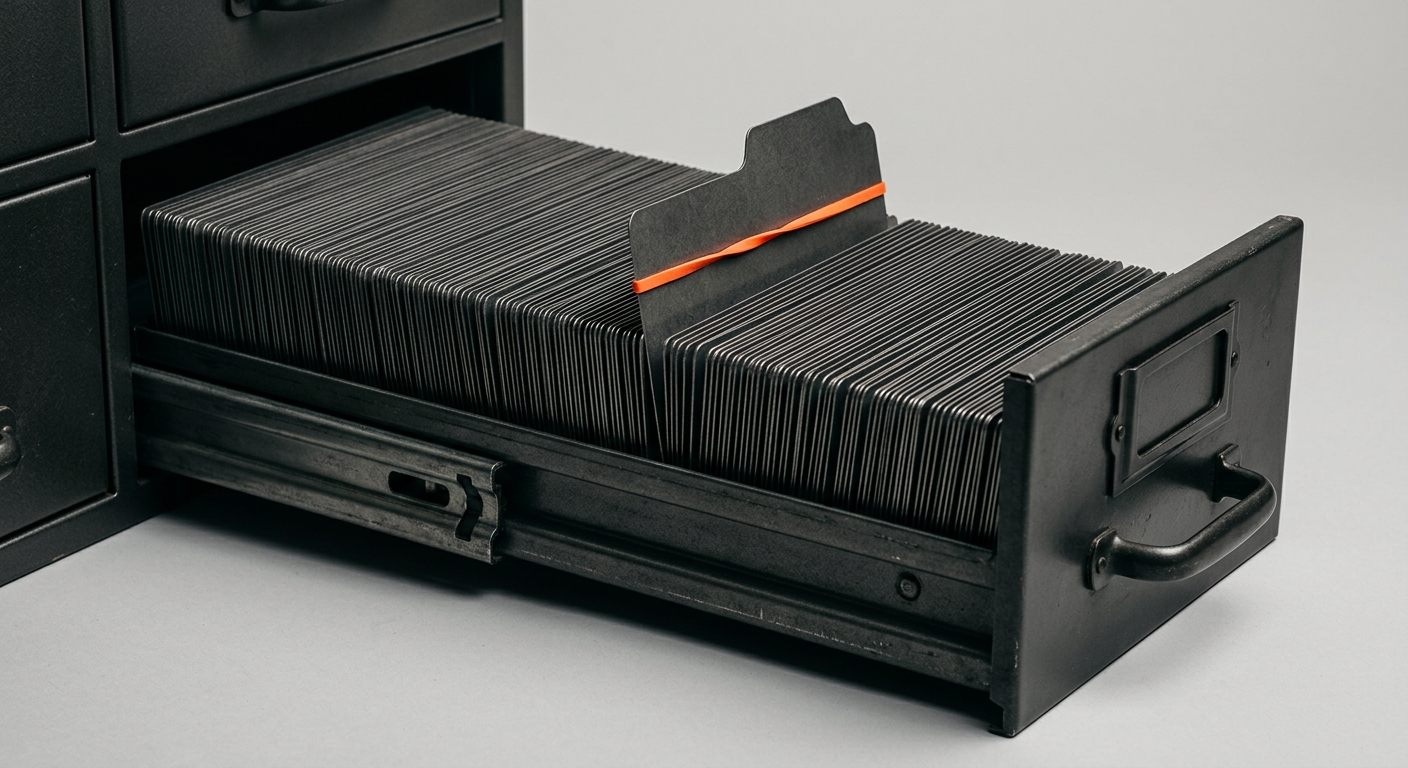
Somewhere in your company, right now, there is a spreadsheet called “Best Prompts”. Maybe it is a Notion page, a shared Google Doc, or a channel where people drop the ChatGPT instructions that worked for them. It started with good intentions: someone found a prompt that drafted a decent sales email, pasted it where colleagues could find it, and a prompt library was born.
Eighteen months later, that library has 60 entries, three people have ever opened it, half the prompts reference a model behaviour that no longer exists, and the person who wrote the good ones left in the spring. Everyone still has their own private stash. The company got AI tools, and what it built was a filing cabinet of individual tricks that nobody maintains.
This is not a tooling failure. It is a category error. A prompt library treats knowledge as a list of instructions to re-paste, when the asset your company actually needs is a living memory of how it works - one that AI can act on without a human feeding it context every time. This guide is for the operations leader, CTO, or managing director who has watched a prompt library go stale and suspects there is a better foundation. There is.
TL;DR
Prompt libraries are shared collections of saved AI instructions. They feel like progress but do not scale - they go stale, nobody maintains them, they hold individual tricks instead of company knowledge, and they vanish when people leave.
The real asset is a company memory - a Company Brain that learns your processes, people, data, and rules, and improves through daily feedback.
AI employees sit on top of that memory and take over routine work, connected to the systems you already use: email, Teams, SharePoint, CRM, and ERP.
MIT found that 95 percent of enterprise generative AI pilots deliver no measurable return - and the cause is a learning gap, not weak models. Tools that do not learn your workflows stall1.
The shift is from “prompt library” thinking to “company memory” thinking. The brain is the durable foundation that survives turnover; prompts are just the surface.
The Prompt Library Trap
When a company first adopts AI, the prompt library feels like the obvious next step. People are already using ChatGPT, Copilot, and Gemini on their own. Collecting the good prompts in one place looks like turning scattered individual use into a shared company capability. It rarely works out that way.
- The sprawl is already here - The average company now runs 254 distinct AI applications, and that figure does not even count tools accessed via mobile or APIs5. A single “official” prompt library sits on top of an ocean of personal, uncatalogued usage.
- Most of it is invisible - 69 percent of organisations suspect or have evidence that staff use prohibited public generative AI tools3. A survey of employees found 51 percent had connected AI tools to work systems without IT’s knowledge4. Your prompt library documents the tip; the iceberg is shadow AI.
- Adoption is wide but shallow - The share of workers using two or more generative AI tools reached 63 percent in 2025, and the group using four or more doubled to 20 percent13. More tools, more prompts, more places for knowledge to fragment.
- The pilots are failing - MIT’s 2025 study of 300 public deployments, 150 leader interviews, and 350 employees found 95 percent of enterprise generative AI pilots deliver no measurable profit-and-loss impact1. The report blames a learning gap: generic tools work for individuals but stall in the enterprise because they do not learn from or adapt to workflows2.
- The trap is seductive - A prompt library gives the feeling of having “done AI” without changing how work actually happens. The instructions get filed; the manual work continues. Governance, maintenance, and real automation all get deferred.
Key Data Point
MIT’s “GenAI Divide” report found that 95 percent of enterprise generative AI pilots produce no measurable return - not because the models are weak, but because generic tools do not learn the organisation’s workflows. The companies that crossed the divide picked one pain point and built AI that adapts to how they work1.
The uncomfortable truth is that the prompt library is a symptom. It is what a company builds when it treats AI as a smarter autocomplete rather than a new operating layer. The instinct to capture and share is right. The artefact is wrong.
| Signal | What Companies See | Source |
|---|---|---|
| AI apps per company | 254 distinct applications on average | Harmonic Security5 |
| Shadow AI prevalence | 69% of organisations suspect or confirm it | Gartner via CSA3 |
| Multi-tool usage | 63% use 2+ GenAI tools; 4+ doubled to 20% | Altman Solon 202513 |
| Pilots with no ROI | 95% deliver no measurable P&L impact | MIT 20251 |
| Root cause | Learning gap - tools do not adapt to workflows | MIT / Computing2 |
Why Shared Prompts Do Not Scale
A prompt library does not fail because people are lazy or because the prompts are bad. It fails for structural reasons that get worse as the company grows. Here are the five that matter.
1. Prompts go stale
A prompt is a snapshot. It captures what worked against a specific model, with a specific process, on a specific day. All three change constantly.
- Models move - Providers update models every few months, and a prompt tuned to coax a specific behaviour out of last year’s version often produces different output on the new one. Practitioners describe libraries whose prompts reference model behaviours that no longer exist10.
- Processes move - The approval step changes, the discount policy changes, a new system comes online. The prompt still says the old thing because text does not notice when reality shifts.
- Prompt drift is a known failure mode - Teams managing prompt libraries at scale treat drift as an operational risk and recommend quarterly audits just to keep instructions valid11. Most companies never run the first audit, let alone the fourth.
2. Nobody owns the maintenance
A prompt library is everyone’s resource and no one’s responsibility. Maintenance is invisible work with no owner and no deadline, so it does not happen.
- Contribution decays - Practitioners describe three recurring failure patterns: individuals hoarding their best prompts, a chaotic dump into a shared folder that becomes unsearchable, and perfectionism paralysis where teams over-design the structure and never add anything10.
- No feedback loop - When a prompt stops working, the person who hits the problem works around it privately rather than fixing the shared entry. The library never learns from the failure.
- Discoverability collapses - Once a library passes a few dozen entries, it needs strict naming conventions and metadata tags just to stay navigable12. That is librarian work, and no one was hired to do it.
3. It holds individual tricks, not company knowledge
The deepest problem is what a prompt actually contains. A good prompt encodes one person’s clever phrasing for one task. It does not encode how your company works.
- Tricks are not knowledge - “Write this email in a friendly but concise tone” is a trick. “This customer is on our enterprise tier, had an outage last month, and their renewal is in 40 days” is knowledge. The library holds the first and knows nothing of the second.
- Context lives outside the prompt - Every time someone runs a shared prompt, they still have to paste in the account history, the policy, the latest numbers. The library saved the instruction and left the hard part - the context - on the human.
- The leverage has moved - The industry shift from prompt engineering to context engineering reflects exactly this. The hard, valuable work is no longer the instruction; it is assembling the right company context around it9.
“Context engineering is the delicate art and science of filling the context window with just the right information for the next step.”
- Andrej Karpathy, former Director of AI at Tesla9
4. It does not connect to anything
A prompt library sits beside your real systems, not inside them. The instruction is text; your work lives in email, CRM, ERP, and file stores. The gap between the two is bridged by a human doing copy and paste.
- Humans are the integration - To use a saved prompt, someone opens the CRM, finds the record, copies it, opens the AI tool, pastes the prompt, pastes the context, reads the output, and pastes it back. The library automated none of that.
- Search time does not go away - Knowledge workers already spend around 2.5 hours a day searching for information7, and roughly a fifth of working time goes to hunting for internal data8. A prompt library does not touch that cost because it cannot reach the data.
- No action, only drafting - Because it is disconnected, a prompt can only help a person draft. It cannot file the invoice, update the record, or send the reply. The routine work still lands on your team.
5. It vanishes when people leave
The person who writes the best prompts also knows which ones to trust, which to skip, and what context to add first. That judgment is not in the spreadsheet. It is in their head, and it leaves with them.
- Knowledge is already fragile - Research found that 42 percent of institutional knowledge is unique to the individual who holds it and is not shared with coworkers6. A prompt library captures the keystrokes, not the know-how.
- Turnover is expensive in knowledge terms - Poor knowledge sharing and onboarding is estimated to cost large US businesses around $47 million a year, with employees losing 5.3 hours a week waiting on information they cannot find6.
- The library inherits distrust - A new team member faces a list of prompts they did not write and cannot evaluate. Rather than trust them, they start their own stash, and the cycle repeats.
Shared Prompt Library: Promise vs Reality
The Promise
- ✓ Reuse - write a good prompt once, everyone benefits
- ✓ Consistency - standard instructions across the team
- ✓ Onboarding - new hires get a head start
- ✓ Low cost - a spreadsheet is free to start
The Reality
- ✗ Staleness - entries rot as models and processes change
- ✗ No owner - maintenance is invisible work nobody does
- ✗ Tricks, not knowledge - context still lives on the human
- ✗ Disconnected - cannot reach your real systems or act
- ✗ Fragile - the judgment to use it leaves with the author
Notice that none of these five problems is solved by a better spreadsheet or a dedicated prompt-management tool. Versioning and tags make the filing cabinet tidier. They do not change what is in the drawers.
Prompt Library Thinking vs Company Memory Thinking
The fix is not a better library. It is a different mental model. Prompt library thinking asks “what should we tell the AI to do?” Company memory thinking asks “what does the AI need to know about us, and how do we keep that current?” Those two questions lead to completely different foundations.
| Dimension | Prompt Library Thinking | Company Memory Thinking |
|---|---|---|
| Core unit | A saved instruction | A living record of how the company works |
| Who holds context | The human, every time | The memory, once and continuously |
| How it stays current | Manual edits that rarely happen | Live connections and daily feedback |
| What it connects to | Nothing - it is text | Email, Teams, SharePoint, CRM, ERP |
| What it produces | A draft for a human to finish | Completed work, with oversight |
| When someone leaves | Knowledge walks out the door | Knowledge stays in the company |
| Over time | Decays without maintenance | Compounds through feedback |
The compounding difference
The reason this matters is direction of travel. A prompt library is a depreciating asset: it is at its best the day it is written and declines from there. A company memory is an appreciating asset: every correction, every resolved exception, every new document makes it more valuable.
- Prompts depreciate - Value peaks at creation, then erodes as the world moves on. Maintenance only slows the decline; it never reverses it.
- Memory appreciates - Each use teaches it something. The reasoning behind a decision, the exception that broke the rule, the customer’s history - it all accumulates and stays available.
- Prompts are per-person - Even a shared prompt is run by one person against context they assemble. The benefit does not spread automatically.
- Memory is shared by default - One company memory serves every AI employee and every team at once. A fix made in one place is live everywhere.
- Prompts are stateless - Each run starts from zero. The library remembers the instruction but not what happened last time.
- Memory is stateful - It remembers the thread, the outcome, and the correction, so the next action is better than the last.
The Mental Model Shift
Stop asking “where do we store our best prompts?” Start asking “where does our company keep what it knows, and how does our AI act on it?” The first question builds a filing cabinet. The second builds a foundation.
Outgrown your prompt library?
Book a 30-minute call. We will map the first process worth moving into a company memory.
What a Company Brain Actually Is
A Company Brain is a living memory of your organisation. It is not a chatbot and not a document store. It is the layer that holds what your company knows - and keeps it current - so that both people and AI employees can act on it. Four properties set it apart from a prompt library.
- It learns your business - The brain is built around your processes, your data, and your rules, not the general internet. It knows how your orders flow, who signs off on what, and why the exception from last quarter was handled the way it was.
- It connects to live systems - It sits as one layer over the tools you already use - email, Teams, SharePoint, CRM, ERP, databases, and APIs - so the context it needs is pulled from reality, not pasted by a person.
- It improves through feedback - Every correction your team makes teaches it. The memory gets sharper the more it is used, which is the opposite of how a prompt library behaves.
- It persists and is governed - The knowledge lives in one place with access controls and an audit trail. It does not evaporate at the end of a session and it does not leave when an employee does.
What it is not
Precision matters here, because several things get called a company memory that are not one.
| Approach | What it does | Why it is not a company memory |
|---|---|---|
| Prompt library | Stores saved instructions | Holds tricks, not knowledge; disconnected and static |
| Enterprise search / Notion AI | Finds and summarises documents | Answers for a human; does not act or retain reasoning |
| Bigger context window | Reads more text per session | Temporary, ungoverned, re-paid every prompt |
| Data warehouse | Stores rows and metrics | Holds the what, not the why or the process know-how |
| Company Brain | Remembers how the company works and acts on it | This is the company memory |
A bigger context window is not a company memory - it is per-session, ungoverned, and paid for again on every prompt. Enterprise search gives a person a better answer to read. A data warehouse stores the what but not the why. The Company Brain is the layer that remembers the reasoning and lets AI do the work.
Why This Beats the Pilots That Fail
MIT’s finding was that generic tools stall because they do not learn the organisation’s workflows1. A Company Brain is the direct answer: it is the mechanism by which AI learns and retains how your company actually operates, which is exactly the capability the failed 95 percent were missing.
From Saved Prompts to AI Employees That Do the Work
A company memory is the foundation. What sits on top of it is where the routine work actually gets taken over. AI employees are AI assistants built around your business that live inside your systems and take on whole tasks, not just drafting.
The difference between a prompt and an AI employee
- A prompt waits - It does nothing until a person opens a tool, pastes it, and supplies context. An AI employee works from the memory and the live systems without being prompted each time.
- A prompt drafts - It returns text for a human to check and act on. An AI employee completes the task: it triages the inbox, enters the order, matches the invoice, routes the ticket.
- A prompt is generic - It knows only what you paste. An AI employee knows your processes, your customers, and your rules because it sits on the Company Brain.
- A prompt forgets - Every run starts cold. An AI employee remembers the last interaction and the feedback it received.
What AI employees take over
These are the routine, system-spanning tasks that a prompt library could only ever help a person draft.
- Email inbox triage - Reads incoming mail, understands intent, drafts or sends replies, and routes what needs a human - grounded in the account’s history from the CRM.
- Invoice and document intake - Reads incoming documents, extracts the data, matches against orders and deliveries, and posts to the system, flagging only the exceptions.
- Order entry - Takes orders from email or portal, checks inventory, and enters them into the ERP without a person retyping between systems.
- Customer service - Answers routine questions with consistent, current, traceable answers drawn from the company memory, and escalates the rest with full context.
- Procurement and dispatch - Coordinates suppliers, tracks deliveries, and handles the routine back-and-forth that used to sit in someone’s inbox.
Why the Memory Comes First
An AI employee is only as good as what it knows. Deploy one on top of a prompt library and you get a faster way to produce generic drafts. Deploy one on top of a Company Brain and you get a colleague that handles the task the way your company would. The memory is not optional infrastructure - it is the thing that makes the automation trustworthy.
Gartner projects that 40 percent of enterprise applications will feature task-specific AI agents by the end of 2026, up from less than 5 percent in 202515. The companies that get value from them will be the ones whose agents sit on a real company memory. The rest will have agents reaching for context that lives in a stale spreadsheet.
“Almost everywhere we went, enterprises were trying to build their own tool.”
- Aditya Challapally, lead author of MIT’s “The GenAI Divide” report1
The Migration Playbook: From Prompt Library to Company Brain
You do not throw your prompt library away. You mine it. The prompts people saved are a free inventory of the tasks they are trying to automate and what good output looks like. Here is how to move from a folder of tricks to a living memory that acts.
- Inventory the prompts as use cases - Go through the library and group the prompts by the job they are trying to do, not by who wrote them. Three email prompts and two summarisation prompts are two use cases, not five. This tells you where the demand already is.
- Rank by frequency and pain - For each use case, estimate how often it happens and how much manual time and error it carries. The winner is usually a high-volume, system-spanning task, which is also where MIT found the biggest return - back-office automation, not marketing1.
- Map the real process - For the top use case, document how the work actually happens, including the exceptions and workarounds nobody wrote down. This is the knowledge the prompt never captured and the memory needs.
- Connect the systems - Identify the systems involved - email, CRM, ERP, file store - and connect them so the context is pulled live rather than pasted. This is the step a prompt library structurally cannot take.
- Seed the Company Brain - Load the process knowledge, the rules, and the relevant history into the memory. Your best existing prompts become part of how the AI employee is instructed, now backed by real context.
- Put one AI employee into production - Deploy on the single top use case, running alongside the existing process so nothing breaks. First results should appear in weeks, not quarters.
- Close the feedback loop - Let the team correct the AI employee in the flow of work. Every correction feeds the memory, so the system gets more accurate and the knowledge becomes durable company property.
- Expand use case by use case - Once the first is trusted, the same memory and connections scale to the next task. The library you started with becomes the roadmap.
Migration Readiness Checklist
- You can point to a real prompt library, channel, or doc people actually use
- You can name the top 3 tasks those prompts are trying to do
- At least one of those tasks spans 2 or more systems
- The systems involved have API access or data export
- There is a process owner who will give feedback on the AI employee
- Leadership will back one focused deployment with clear success criteria
- You are willing to start with one use case, not the whole library
- You have a place for company data that is not a personal AI account
Keep Improving the Library vs Build a Company Memory
Keep Improving the Library
- ✓ Cheap and familiar - no new system to introduce
- ✓ Fine for individuals - helps a person draft faster
- ✗ Still disconnected - cannot reach systems or act
- ✗ Still decays - maintenance never catches up
- ✗ Knowledge still fragile - leaves with the author
Build a Company Memory
- ✓ Connected - works inside your real systems
- ✓ Acts - AI employees complete tasks, not just drafts
- ✓ Compounds - improves through daily feedback
- ✓ Durable - knowledge survives turnover
- ✗ Needs focus - requires a real process, not a slide
How Superkind Fits
Superkind builds AI employees that live inside your systems and get better every day. The starting point is never a prompt - it is a company memory built around how your business actually works, with AI employees on top that take over routine tasks.
- Built around your business - Each AI employee is built on your processes, your data, and your rules, not an off-the-shelf tool that only knows the internet.
- One layer over everything you use - It connects to email, Teams, SharePoint, CRM, ERP, databases, and APIs, so context is pulled from reality instead of pasted by a person.
- Live in weeks, not months - The first AI employee goes into production in about two weeks, working on one real process rather than a broad rollout.
- Gets better every day - The teams using it give feedback in the flow of work, and that feedback feeds the company memory, so accuracy compounds.
- Knowledge stays in the company - Because process know-how lives in the memory, it does not walk out when someone leaves. The brain is the durable asset.
- More output without more headcount - AI employees take the routine load so your team focuses on the work that needs judgment - without hiring to keep up.
- Data stays inside your infrastructure - Access is controlled and actions are logged, which replaces an uncontrolled sprawl of personal prompts with one governed layer.
- Outcomes, not seats - Pricing is per use case and tied to measurable results, so you compare it against the manual work it replaces, not against a per-user licence.
| Dimension | Prompt Library / Prompt Tool | Superkind |
|---|---|---|
| Core asset | Saved instructions | A living company memory |
| Connection | Disconnected text | One layer over your existing systems |
| Output | A draft for a human | Completed work, with oversight |
| Maintenance | Manual, rarely done | Feedback loop, done daily in the flow of work |
| Time to value | Immediate but shallow | First AI employee live in about two weeks |
| When people leave | Knowledge walks out | Knowledge stays in the memory |
Superkind
Pros
- ✓ Memory-first - the durable asset, not a folder of prompts
- ✓ Acts inside your systems - no copy and paste between tools
- ✓ Fast first result - live in about two weeks on one process
- ✓ Outcome-based pricing - pay for results, not seats
- ✓ Survives turnover - knowledge lives in the company memory
Cons
- ✗ Not a self-serve prompt tool - requires engaging with our team
- ✗ Needs process access - we map how work really happens
- ✗ Overkill for one-off drafting - a prompt is fine for that
- ✗ Requires a real use case - not a demo on a slide
Decision Framework: Library, Tool, or Company Memory?
A prompt library is not always wrong. It is wrong as a foundation. Here is how to tell which stage you are at and what to do next.
| Where You Are | What It Means | What To Do |
|---|---|---|
| A few people experimenting with ChatGPT | Early individual use, no shared asset yet | A simple prompt library is fine - but plan for the memory |
| A prompt library nobody maintains | You have hit the staleness and ownership walls | Mine it for use cases; start building a company memory |
| Routine work still done by hand after “adopting AI” | Your prompts draft but nothing is automated | Deploy an AI employee on one connected process |
| Shadow AI everywhere, no governance | Company data in personal accounts is a real risk | Give people a sanctioned, governed company memory |
| Knowledge keeps leaving with people | Your know-how lives in heads, not the company | Capture it in a Company Brain that survives turnover |
| A pilot that never scaled | Likely a learning gap, not a model problem | Re-base on a memory the AI can actually learn from |
Act Now vs Keep Filing Prompts
Build the Memory Now
- ✓ Compounding starts early - the brain is more valuable the longer it runs
- ✓ Governance improves - a sanctioned layer pulls data out of personal accounts
- ✓ Knowledge is captured - before more of it walks out the door
- ✓ You cross the divide - instead of joining the 95% whose pilots stall
Keep Filing Prompts
- ✗ Decay continues - the library keeps rotting between audits
- ✗ Work stays manual - drafting faster is not automating
- ✗ Shadow AI grows - with no approved alternative, people improvise
- ✗ Knowledge keeps leaking - every departure costs you context
The honest answer is that a prompt library is a fine first step and a terrible destination. If you have outgrown it, the next move is not a better library - it is the memory underneath.
Frequently Asked Questions
An enterprise prompt library is a shared collection of saved AI prompts - the instructions people type into tools like ChatGPT or Copilot - usually stored in a spreadsheet, a Notion page, a wiki, or a dedicated prompt-management tool. The idea is that one person writes a good prompt once and everyone else reuses it. In practice, these libraries duplicate, go stale, and are rarely maintained, because a prompt is a snapshot of one person's trick, not a shared, living record of how the company works.
They fail for five structural reasons: prompts go stale as tools, data, and processes change; nobody is accountable for maintaining them; they capture individual tricks rather than company knowledge; they do not connect to live systems, so the human still has to copy and paste context; and they vanish when the author leaves. A library grows linearly while your operations grow in complexity, so the gap widens the bigger you get.
A prompt library stores instructions. A company memory, or Company Brain, stores knowledge - your processes, your people, your data, your rules, and the reasoning behind decisions. A prompt is static text you re-paste every time. A company memory is a living layer that connects to your email, Teams, SharePoint, CRM, and ERP, improves through feedback, and survives turnover. AI employees sit on top of the memory and act, instead of waiting for a human to paste the right prompt.
Prompt-management tools add versioning, access control, and metadata, which helps a prompt library stay organised. But they solve the filing problem, not the fundamental one. The instruction is still disconnected from your live systems, still needs a human to run it, and still does not accumulate knowledge about your business. Better filing of static text does not turn a folder of tricks into company knowledge that acts on its own.
Yes, but it is table stakes, not a durable advantage. Writing a clear instruction matters, and it always will. The leverage has moved from crafting the perfect prompt to engineering the context around it - the knowledge, connections, and permissions the AI has access to. A great prompt on top of no company memory still produces generic output. The same prompt on top of a Company Brain produces answers grounded in how your company actually operates.
A Company Brain is fed by the systems your team already uses and by the feedback they give every day. When a process changes, the change shows up in the email threads, documents, and tickets the brain is connected to, and corrections from your team teach it the new way. A prompt library only updates when a human remembers to open the spreadsheet and edit it, which is exactly the maintenance work that never gets done.
In most companies, it degrades quietly. The author knew which prompts still worked, which to skip, and what context to add before running them - and that judgment leaves with them. The remaining team inherits a list of instructions they did not write and do not fully trust. A Company Brain captures that judgment as it is used, so the knowledge stays in the company rather than walking out the door.
No. Your best prompts are a useful signal - they show which tasks people are trying to automate and what good output looks like. Treat them as an inventory of high-value use cases, not as the asset itself. The migration moves the knowledge inside those prompts into a shared memory and connects it to live systems, so the work gets done by AI employees instead of being pasted by hand.
Enterprise search and tools like Notion AI help a person find and summarise information faster. They answer questions. A Company Brain also acts: it connects to your systems, remembers the reasoning behind your processes, and lets AI employees take over routine work end to end. Search gives a human a better answer to read. A company memory gives an AI employee the context to do the task.
No. A larger context window lets a model read more text in a single session, but that context is temporary, ungoverned, and re-paid on every prompt. It disappears when the session ends. A company memory is persistent, permission-aware, shared across every AI employee, and it compounds through feedback. Pasting your whole wiki into a prompt is not the same as a system that remembers and improves.
The cost is mostly focus, not a large upfront licence. Superkind starts with one high-value process, connects the relevant systems, and puts the first AI employee into production in weeks. Pricing is per use case and tied to measurable outcomes, so you can compare it directly against the cost of the manual work it replaces, rather than paying for seats people may not use.
Centralising on a company memory actually improves governance. Shadow AI happens when people paste company data into personal accounts because no approved alternative exists. A Company Brain gives them a sanctioned place where access is controlled, actions are logged, and sensitive data stays inside your infrastructure. You trade an uncontrolled sprawl of personal prompts for one auditable layer.
Related Articles
- Custom GPTs vs. Company Brain: Where Your Own GPTs Hit a Wall on Company Knowledge
- A Bigger Context Window Is Not a Company Memory
- Notion AI vs. Company Brain: Enterprise Search vs. a Company That Remembers
- What a Company Brain Remembers That Your Data Warehouse Never Will
- Tribal Knowledge: The Undocumented Know-How That Holds Your Company Together
- When Your AI Gives Different Answers: The Single-Source-of-Truth Problem
- The Company Brain Ramp-Up Curve: How Long Until AI Actually Knows Your Business
Sources
- MIT NANDA - The GenAI Divide: State of AI in Business 2025 (via Fortune)
- Computing - MIT Report: 95% of Corporate Generative AI Pilots Fail
- Cloud Security Alliance - Shadow AI Apps: The Enterprise Attack Surface (Gartner data)
- Proton - Shadow AI in Business (BlackFog survey)
- Harmonic Security - How Many AI Tools Are Employees Using?
- HR Dive - Inefficient Knowledge Sharing Costs Large US Businesses $47M a Year (Panopto)
- Cottrill Research - Survey Statistics: Workers Spend Too Much Time Searching for Information (IDC)
- McKinsey Global Institute - The Social Economy: Unlocking Value and Productivity
- PureAI - Karpathy Puts Context at the Core of AI (Context Engineering)
- Peerlist - Why Prompt Libraries Break Down in Enterprise AI Operations
- C-Sharp Corner - Enterprise Prompt Libraries: Managing Reusable AI Instructions at Scale
- Kartaca - Standardizing Enterprise Intelligence With a Corporate Prompt Library
- Altman Solon - Cowen Cloud and Generative AI Survey 2025
- Worklytics - Benchmarking 2025 AI Adoption
- Gartner - 40% of Enterprise Apps Will Feature Task-Specific AI Agents by 2026
- World Economic Forum - Future of Jobs Report 2025
- BCG - AI at Work 2025: Momentum Builds but Gaps Remain
Ready to build the memory under your prompts?
Book a 30-minute call with Henri. We will find the one process worth moving from your prompt library into a company memory - no commitment, no sales pitch.
Book a Demo →