
Hire your AI back office clerk.
Opens and closes cases, moves data between your systems, checks applications, and chases what is missing. Around 70 percent of standard cases then run through without manual data entry. The first case type is productive after two weeks. Your team keeps the final say.
Talk to an expertWhat does your AI back office clerk get done in a normal working day?
Overnight intake
Picks up everything that arrived overnight: the Outlook mailbox, the customer portal, the scan folder, and the ERP queue. It opens a case for each one.
Completeness check
Checks every form and application against your checklist: fields, attachments, signatures, plausible numbers.
System transfer
Types the data into ERP, CRM, and the line-of-business system, so the same record no longer has to be entered three times.
Follow-up questions
Writes the missing-information emails, tracks who replied, and sets a reminder for everyone who has not.
Status update
Moves every case to its correct status, closes what is finished, and escalates what has been waiting too long.
Handover summary
Posts a short summary in Microsoft Teams: cases closed, cases open, cases waiting on someone, and what needs a human decision tomorrow.
What runs through automatically, and what stays with your team?
Every case moves forward on the day it arrives
- Cases opened, classified, and checked on arrival
- The same record entered once instead of in three systems
- Nothing gets stuck waiting for someone to remember it
The same back office week, with and without an AI employee.
Today
- The same customer data gets typed into three different systems
- Incomplete applications sit in a pile until someone finds the time
- Nobody can say where a case stands without asking a colleague
- Follow-up questions get forgotten and cases quietly age
- Peak volume means overtime, because the routine cannot wait
With your AI back office clerk
- Data is entered once and lands correctly in every system
- Every case is checked for completeness the moment it arrives
- Statuses are current, so a status question takes one glance
- Follow-ups go out on time and replies are picked up automatically
- Volume peaks are absorbed without a single extra hour
Your AI back office clerk is built with your company knowledge: your case types, your checklists, your approval thresholds, your templates, your naming conventions. It follows the procedure your team wrote, not the generic workflow a standard tool assumes.
- Learns your case types and their rules from real examples
- Respects your approval thresholds and four-eyes rules
- Uses your templates and your tone for every reply
- Documents every step, so any case stays auditable
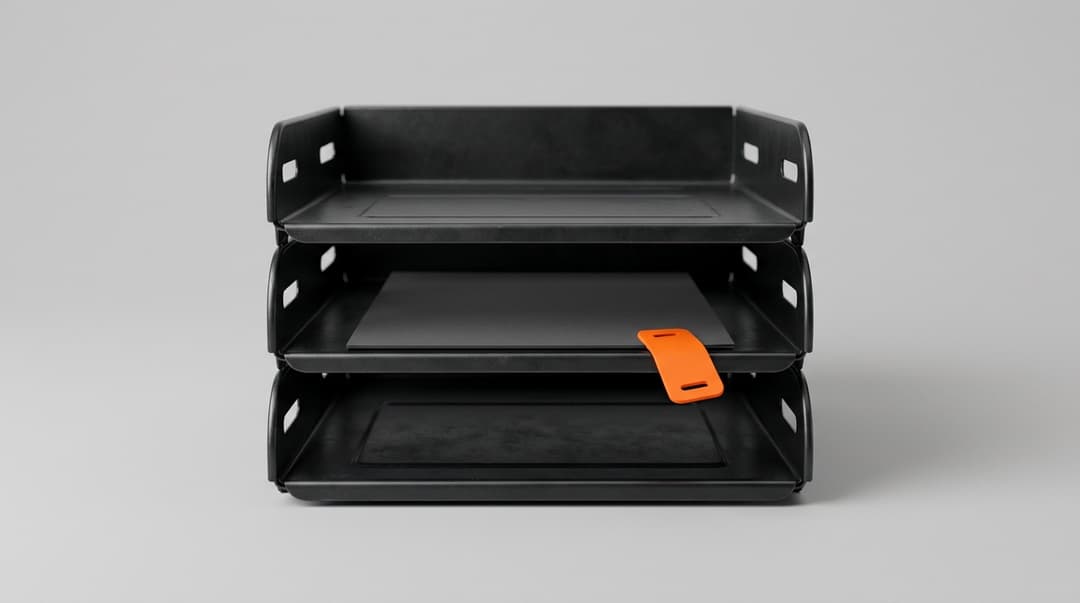
Every back office works differently. What could your AI back office clerk take over from day one?
Case Intake
Opens a case for every request from Outlook, portal, scan, or system queue, with the right type and priority.
Completeness Checks
Runs every form and application against your checklist and names exactly what is missing.
Data Transfer
Moves the same record between ERP, CRM, and line-of-business systems without a single copy-paste.
Master Data Matching
Finds the right customer, supplier, or contract record instead of creating another duplicate.
Plausibility Rules
Checks amounts, dates, and IDs against your business rules and flags what does not add up.
Follow-Up Questions
Writes the missing-information email in your tone and tracks the reply until it arrives.
Status Tracking
Keeps every case in the correct status, so nobody has to ask where something stands.
Deadline Monitoring
Watches every waiting case and escalates before a deadline is missed, not after.
Standard Correspondence
Drafts confirmations, rejections, and status letters from your existing templates.
Filing and Archiving
Files every document in the right folder with the right name and the right case reference.
Exception Routing
Sends what needs judgment to a named person, with the full case context instead of just a ticket number.
Audit Trail
Documents every step it takes, so any case stays traceable months later.
And many more. We build AI employees for whatever your operations team needs.
Frequently asked questions
Everything you need to know about your AI back office clerk.
It handles the operative case work your team does every day. Opening and closing cases, moving data between systems, checking forms and applications for completeness, keeping statuses current, and following up when something is missing. Everything that is copy-paste between two screens today is exactly its job. Around 70 percent of standard cases then run through without manual data entry.
Anything with a repeatable path and clear rules: applications, registrations, change requests, order confirmations, contract changes, claims, returns. The rule of thumb is volume plus a checklist. If a new colleague could learn the case in a week from a written procedure, your AI back office clerk can take it over. Cases that hinge on negotiation or a genuine judgment call stay with your team.
Yes. Superkind connects to the stack you already run: SAP or another ERP, your CRM, DATEV, Microsoft 365 with Outlook and SharePoint, your document management, shared drives, and your line-of-business applications. Your AI employee works in the systems your team works in. No new platform, no data migration, no parallel database.
It asks instead of guessing. Missing document, contradictory numbers, a field that does not match the master data: your AI back office clerk writes the follow-up question to the customer, supplier, or colleague, tracks the reply, and picks the case back up when the answer arrives. Anything needing judgment goes to a named person with the full context attached.
First workflows typically go live within two weeks. We start with one high-volume case type, run it side by side with your team until the results match, then hand over the routine and add the next case type. You see real output before you commit to the next step.
A fraction of a full-time hire, priced per use case. For comparison: one full-time back office position costs an employer 45,000 to 65,000 € in fully loaded cost per year, and up to 75,000 € in high-cost regions. A classic workflow project often starts at 50,000 € for the rollout plus licences. Your AI back office clerk scales with case volume instead of headcount: no lead time, no onboarding month, no vacancy risk.