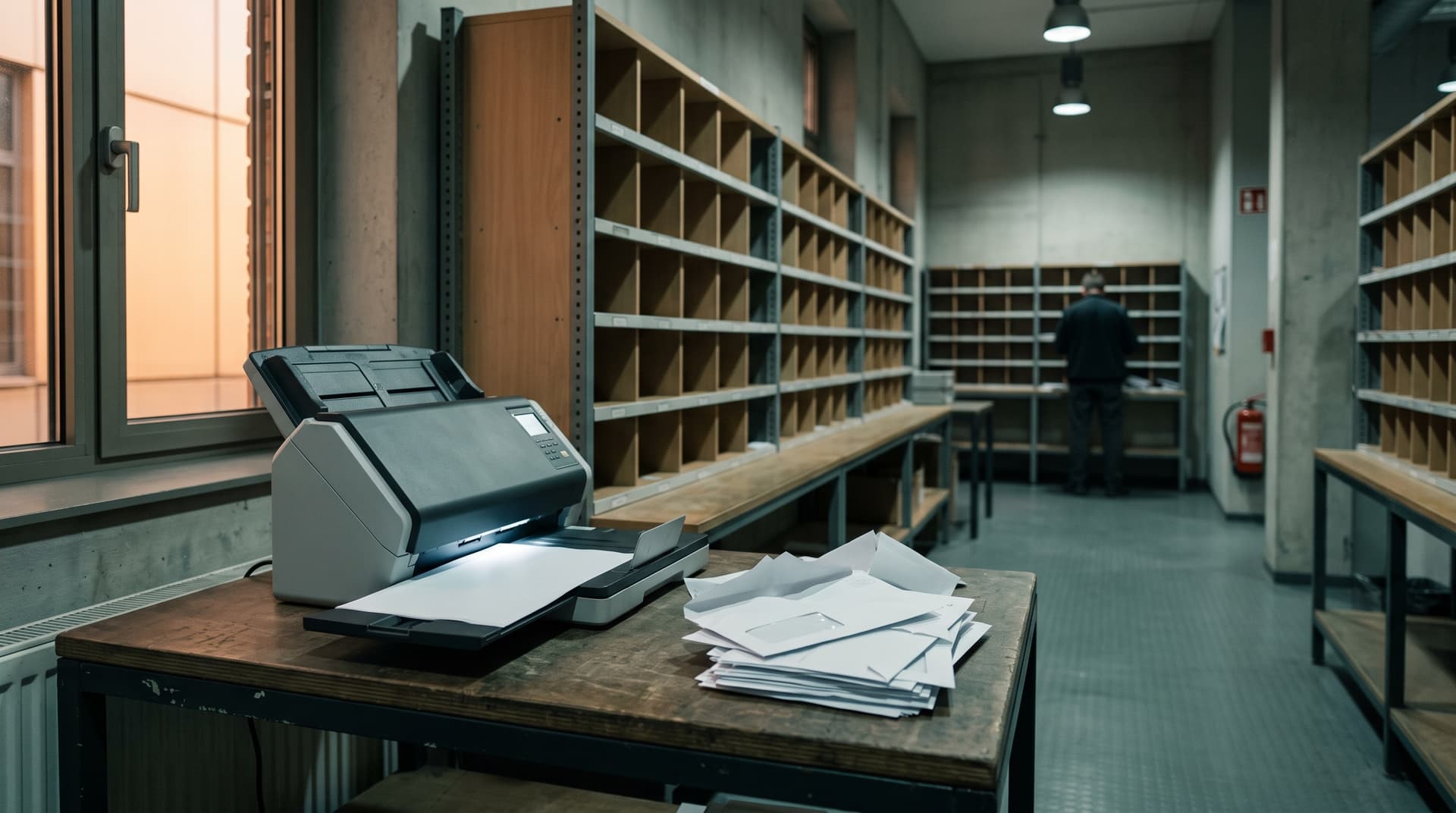
Two full-time employees do nothing but distribute the mail.
Every morning the paper mail lands on the desk at two locations: tenant letters, invoices, official notices, insurance mail. Two clerks handle every letter by hand: open, stamp, write the running number onto the stamp, scan, log it in Excel, type the forwarding email, and file the original.
Stamp and Excel mean double work, because every letter is recorded twice. Recipient addresses are typed by hand, often to five or more people. Finding an old item means digging through separate Excel files, one per company group.
Vacation time makes it really difficult: the deputy does not know the responsibilities. She filters the Excel file by sender and then guesses who should get the letter.
We understood the real process first, then built the software.
The start was not a software workshop but a morning at the mail desk: the real routine, letter by letter. And the team’s conditions became the specification: the email stays editable before sending, the separate registers stay separate, and the team maintains the rules itself.
- Process mapping at the mail desk: Every step was documented with the people who do it. Including the exceptions, for example HR mail that is never opened.
- Prototype within days: Upload a scan, see the recognized data, correct, release. Feedback came from real letters, not from slides.
- Deliberately small start: General mail first. Invoices and approval flows came later.
- Go-live only after the team’s okay: After the first test the team wrote a defect list. It became our acceptance criteria. The system went live once the clerks said: this really saves us time.
80 percent is done by the AI employee. The human decides at two points.
The AI employee reads sender, letter date, and content, including handwriting, and recognizes the mail type: general mail, invoice, reminder, formal delivery, or confidential. The running number follows a fixed rule: every company belongs to exactly one group, and every group has its own number range. Nothing is guessed.
For the recipient, the AI employee makes a proposal. It comes from rules the team maintains itself and from the history of similar cases. The clerk confirms company and recipient, the email opens as a draft and goes out through her own Outlook. Confidential mail is only registered and never opened.
Letter from a property insurer about a water-damage claim, addressed to a holding company.
One field is flagged for review: the claim concerns a subsidiary’s property. Exactly this decision stays with the human.
That was before, this is today.
This is how document intake ran before, and this is how it runs today with the AI employee. Conservatively calculated, that saves about 80 percent of the handling time per letter.
| Before | Today | |
|---|---|---|
| Steps per letter | 7 manual steps | 2 decisions |
| Logging | Stamp and Excel, twice | Automatic register entry |
| Finding an old item | Searching Excel files | Enter the number, found in seconds |
| Vacation cover | Guessing recipients | Works with rules and history |
| Confidential mail | A matter of convention | Registered, but never opened |
* Baseline documented in the process mapping at both mail desks, June 2026. Savings conservatively calculated: 7 manual steps at 3 to 4 minutes per letter before, 2 short confirmations at about 30 seconds today.
How do you build an AI employee like this, technically?
The knowledge from this project to take away, whether you build with us or on your own:
Reading: vision models instead of classic OCR
Classic OCR delivers only raw text and fails on handwriting and skewed scans. Modern vision models like Mistral OCR, GPT from OpenAI, or Claude from Anthropic understand the whole document: letterhead, layout, stamps, handwriting. Azure AI Document Intelligence is a solid choice too if everything should stay with Microsoft.
Extraction: every field with evidence
Sender, date, and mail type are extracted as individual fields, each with its location in the document. If the model is unsure about a field, it gets flagged and a human decides. Nothing is filed silently.
Numbers and routing: fixed rules
The running number comes from a fixed rule, not from the AI: company determines group, group determines number range. Routing combines rules the team maintains itself with the history of similar cases.
Integration: the existing systems stay
The AI employee connects through the Microsoft Graph API to Outlook, SharePoint, and the filing structure. There is no new platform and no system migration. Sending runs through the clerk’s personal Outlook account.
UX: the interface decides adoption
A review screen shows the scan on the left and the recognized fields on the right. The email opens as an editable draft, nothing goes out unseen. And the assignment rules have their own view where the team changes them itself. Exactly these three things turned skepticism into approval.
What does it cost in comparison?
Superkind charges per use case. The price grows with volume, not with headcount. Here is the honest comparison:
| Full-time clerk | Scanning service | Superkind AI employee | |
|---|---|---|---|
| Cost | 55,000 to 75,000 € per year | 0.40 to 1.50 € per document | Price per use case, a fraction of a full-time position |
| What is included | The whole process, by hand | Only the digitizing | Reading, numbering, routing, email, and filing |
| Scales with | More staff | Document volume | Volume, without new positions |
| Exceptions | Human does everything | Left unhandled | Flagged and sent to a human |
| Rollout | Recruiting and onboarding | Contract signing | 2 to 3 weeks to the first productive version |
The honest comparison is the full cost of manual intake: the daily routine, the searching, and the risk during vacation time.
What we learned from this project.
The hard part is not reading documents. The models handle that well by now. The hard part is respecting the structure around them: registers that must stay separate. Numbers the bookkeeping relies on. Mail that must never be opened. Whoever flattens this structure gets rejected by the team. Rightly so.
The most valuable document in the whole project was the defect list after the first test. A team that takes the trouble to write down twelve precise defects really wants to use the system. You just have to take the twelve points seriously.
What it is not suited for: If only a handful of letters arrives per week, intake is not your bottleneck. Without a scanner and a mailbox the digital anchor is missing. And if nobody owns the assignment rules, that should be resolved first.
