
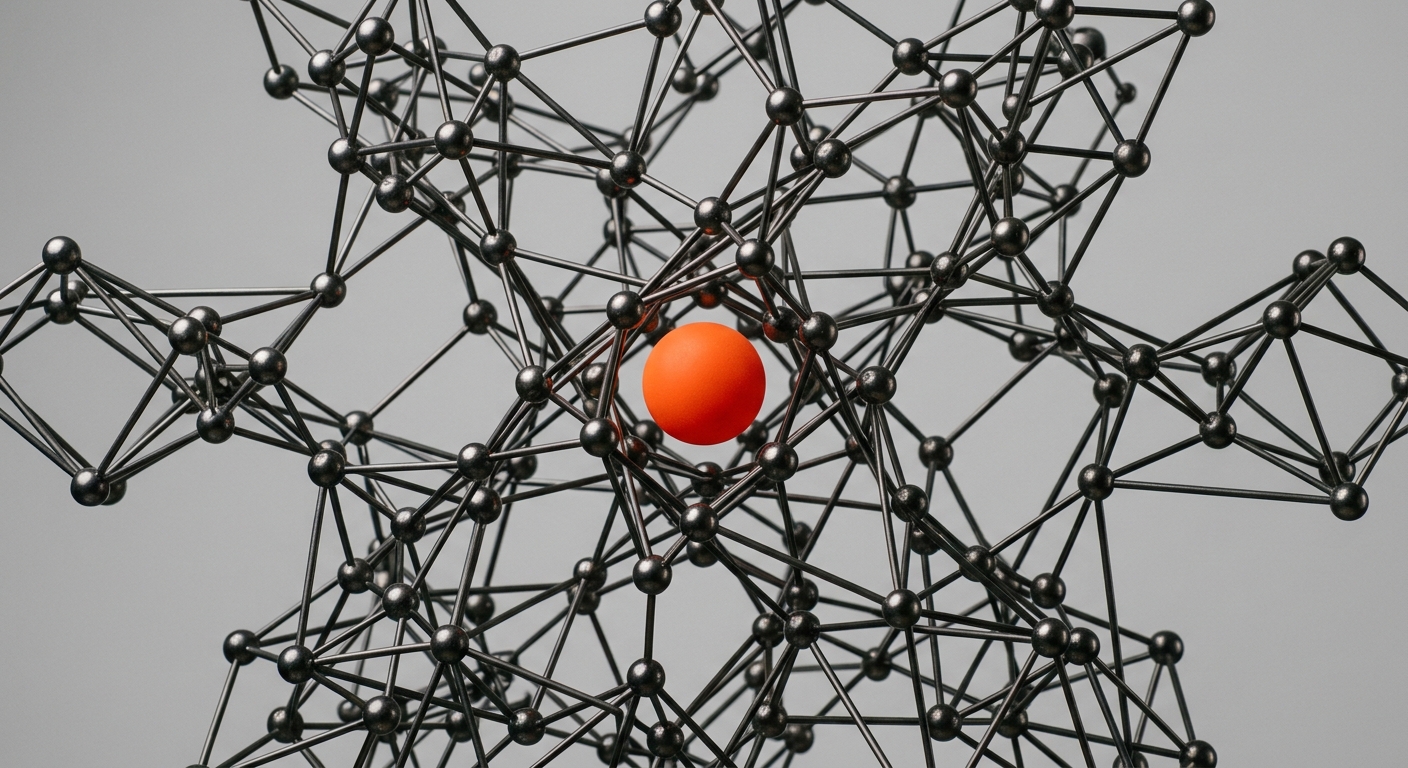
Two AI agents run on the same model. One answers your team’s questions with the exact contract clause, the right order number, and a source you can open. The other sounds just as confident and quietly invents a delivery date that was never agreed. The difference is almost never the model. It is what the agent is allowed to read before it answers - its memory, and how that memory is searched.
That memory runs on one of two foundations, or both: a knowledge graph that stores explicit relationships, or vector search that finds text by meaning. Most buyers never hear these words, yet the choice decides whether an AI employee is a reliable colleague or a plausible liar. Get grounding right and a mid-sized model is trustworthy. Get it wrong and the smartest model on the market still hallucinates.
This is an honest comparison for the operations leader, CTO, or Geschaeftsfuehrer who has to decide what their company’s AI memory should run on. No winner declared on every row. Just how each approach works, where each one wins and fails, the real tools in each camp, and why serious production systems end up combining both.
TL;DR
Grounding, not model intelligence, decides reliability - a weaker model with great retrieval beats a frontier model with poor retrieval.
Vector search finds text by meaning. It is fast, flexible, and the practical default, but it returns similar passages, not verified relationships, and struggles with multi-step questions.
Knowledge graphs store explicit relationships between entities. They are precise and traceable and win on multi-hop reasoning, but they need structure and upkeep up front.
Production systems combine both - hybrid retrieval, including Microsoft’s GraphRAG and the way Copilot and Glean work, pairs semantic recall with graph precision.
A Company Brain is the maintained hybrid memory layer an AI employee reads from and writes to - so you get both without building and running it in-house.
Why Grounding, Not Model Intelligence, Decides Reliability
The industry spends its attention on which model is smartest. Buyers should spend theirs on what the model reads before it answers. A large language model has no private knowledge of your company. Everything specific - your prices, your processes, your customers - has to be retrieved and placed in front of it at answer time. That retrieval step is grounding, and its quality sets the ceiling on reliability.
- The model is not the bottleneck - frontier models already reason well. What they lack is your facts. Give a mid-tier model the right three sentences from your systems and it answers correctly; give the best model nothing and it guesses fluently.
- Hallucination is usually a retrieval failure - as one knowledge-graph vendor puts it, when the right context is not retrieved, the wrong answer is not a hallucination problem, it is a retrieval architecture problem. Fix retrieval and most ungrounded answers disappear12.
- Grounding does not fully erase hallucination - Vectara’s hallucination leaderboard measures how often a model adds unsupported claims when summarising a provided document. The best models stay under 2 percent, but many mainstream models land closer to 10 percent, and some well above3.
- Fine-tuning is not grounding - teaching a model your tone or vocabulary does not stop it from inventing facts. Vectara’s founder has made the point directly: fine-tuning makes a model more capable of speaking about your data but does not stop hallucination15.
- Grounding is what makes answers auditable - a grounded answer can cite the document or record it came from. An ungrounded one cannot, which is why traceability and grounding rise or fall together.
Key Data Point
Microsoft credits the term “grounding” with the idea of constraining a model to facts. The practical implication for buyers: the question is not “which model is smartest” but “how good is the memory this model is allowed to read, and how is it searched?” That memory is the real product you are choosing when you pick a knowledge graph, vector search, or both15.
Once you accept that grounding is the lever, the knowledge-graph-versus-vector-search question stops being academic. These are the two main ways to find the right facts, and they fail in opposite ways.
| What you optimise | Chasing a smarter model | Investing in grounding |
|---|---|---|
| What it fixes | Reasoning and fluency | Whether the facts are correct and present |
| Effect on hallucination | Marginal once models are capable | Large - most errors are missing or wrong context |
| Auditability | Unchanged | Answers can cite real sources |
| Cost to improve | Pay for the next model tier | Build the memory once, every model benefits |
| Who controls it | The model vendor | You |
How Vector Search Works (and Where RAG Came From)
Vector search is the engine behind most retrieval-augmented generation (RAG) systems in production today. It turns text into numbers so a machine can find passages that mean the same thing, even when they share no words.
The mechanism in plain terms
- Embedding - every document is split into chunks, and each chunk is converted into a vector, a long list of numbers that captures its meaning. Similar meanings produce nearby vectors.
- Indexing - those vectors are stored in a vector database that can search millions of them quickly using approximate nearest-neighbour algorithms.
- Retrieval - the user’s question is embedded the same way, and the system returns the chunks whose vectors sit closest to the question vector.
- Generation - those chunks are pasted into the model’s context, and the model answers using them as grounding.
Where vector search shines
- Meaning over keywords - a question about “late shipments” surfaces a document that only ever says “delivery delays”. Keyword search misses this; vector search does not.
- Fast to stand up - the tooling is mature. A competent team can point a vector database at a document store and have working semantic search in days, not months14.
- Great for single-fact lookups - “what is our return policy for business customers” is answered well because the answer usually lives in one passage.
- Handles messy, unstructured text - emails, PDFs, wiki pages, chat logs. No schema required, which is why it scales across a whole company’s documents easily.
- Language-flexible - a German question can retrieve an English passage with the same meaning, useful for international teams.
Where vector search fails
- It returns similar, not correct - the nearest passage is not always the right one. Two chunks can read almost identically and mean opposite things for your business.
- Multi-hop questions break it - “which customers of the supplier we paused last quarter have open orders over 50,000 euros” needs three facts joined together that never appear in one chunk. Vector search finds each topic but cannot connect them1.
- No sense of structure - it does not know that an invoice belongs to an order that belongs to a customer. It sees text, not relationships.
- Chunking artefacts - split a table or a contract at the wrong line and the retrieved chunk loses the context that made it meaningful.
- Confidently wrong on aggregation - “how many”, “total”, and “compared to last year” questions expose it, because counting and relating are not what similarity search does.
The honest default
Vector search is the right place for most companies to start. It is cheap, fast, and covers the majority of single-fact questions. The mistake is assuming it covers everything. The moment your most valuable questions depend on relationships across records, vector search quietly starts guessing - and because it still sounds fluent, nobody notices until a wrong answer reaches a customer17.
That gap - relationships across records - is exactly the gap a knowledge graph is built to close.
How Knowledge Graphs Work
A knowledge graph stores information the way your business actually works: as things connected to other things. Not chunks of text, but entities and the explicit relationships between them.
The mechanism in plain terms
- Nodes - the entities in your business: customers, orders, invoices, parts, employees, contracts, machines.
- Edges - the named relationships between them: a customer placed an order, an order contains a part, an invoice belongs to a contract.
- Properties - the attributes on each node and edge: an order’s value, a contract’s renewal date, a part’s supplier.
- Traversal - a query follows the edges to answer a question, hopping from customer to order to invoice to supplier in one precise walk, returning exact records rather than similar text.
Where knowledge graphs shine
- Multi-hop reasoning - the exact questions that break vector search are the ones graphs answer best. Following three or four relationships is a single traversal, not a guess1.
- Precision and traceability - an answer is a set of real records connected by named relationships, so you can show your work. For audit, finance, and compliance, this matters more than fluency.
- Aggregation and counting - “how many open orders from paused suppliers” is a query the graph answers exactly, because counting over relationships is what it is for.
- Consistency - a well-built graph enforces that an invoice must belong to an order. It cannot silently return something that violates the structure of your business.
- Global questions over a whole corpus - Microsoft’s GraphRAG work showed that graph structure lets a system summarise themes across an entire document set, something plain vector retrieval does poorly1.
Where knowledge graphs fail
- Upfront structure is expensive - you need a schema and a way to extract entities and relationships from messy data. Building the graph is real work, and the GraphRAG indexing step can be computationally costly2.
- Maintenance never stops - your business changes daily. A graph that is not kept current goes stale and starts returning confidently outdated facts.
- Weak on fuzzy, unstructured questions - “what did customers complain about in these 400 support emails” is a job for semantic search, not a graph traversal.
- Harder to get right - modelling the schema badly produces a graph that answers the wrong questions well. Graph expertise is scarcer than vector expertise.
- Not a cure for bad data - a graph makes relationships explicit, but if the underlying records are wrong, it relates wrong facts precisely.
Why this fits real companies
Most of a company’s highest-value questions are relationship questions: which customer, which order, which contract, which part, which exception. That is the native shape of a knowledge graph. It is also why a graph alone is not enough - the same company has mountains of unstructured text where vector search is the better tool.
Where Each One Wins and Fails
Put the two side by side on the questions that actually come up in a business, and the pattern is clear: they are complementary, not rivals. Each is strong exactly where the other is weak.
| Dimension | Vector Search (RAG) | Knowledge Graph |
|---|---|---|
| What it stores | Text as meaning (embeddings) | Entities and named relationships |
| Best question type | Single-fact, fuzzy, “find me something like this” | Multi-hop, relational, “how are these connected” |
| Returns | Similar passages | Exact connected records |
| Traceability | Cites the source chunk | Shows the full relationship path |
| Setup effort | Low - days to weeks | High - schema, extraction, indexing |
| Maintenance | Re-embed changed documents | Keep entities and edges current |
| Unstructured text | Excellent | Weak without extraction |
| Aggregation and counting | Unreliable | Exact |
The same nine questions, two engines
- “What is our warranty policy for industrial customers?” - vector wins. One passage, fuzzy wording, no relationships.
- “Which open orders are affected by the supplier we just put on hold?” - graph wins. Join supplier to parts to orders.
- “Summarise the themes in last month’s customer complaints.” - vector wins for recall; graph helps if complaints are linked to products.
- “How many contracts renew in Q1 and what is their total value?” - graph wins. Counting and aggregation over relationships.
- “Find documents similar to this RFP so we can reuse them.” - vector wins. Pure similarity.
- “Which employees worked on the project this late invoice belongs to?” - graph wins. Invoice to project to people.
- “What did the onboarding guide say about expense limits?” - vector wins. Single-fact lookup.
- “Trace this part number from supplier to the machines it is installed in.” - graph wins. Multi-hop traversal.
- “Draft a reply to this customer based on past tickets like theirs.” - vector wins for finding similar tickets; graph adds the customer’s exact history.
Count the results: vector search wins the fuzzy and single-fact questions, the graph wins the relational and counting questions, and several questions want both. That split is the whole argument for a hybrid memory.
Vector Search as Your Only Memory
Pros
- ✓ Fast to deploy - working semantic search in days
- ✓ Handles any text - no schema, scales across all documents
- ✓ Mature tooling - well-supported vector databases and libraries
- ✓ Cheap at the start - low barrier to a first RAG system
Cons
- ✗ No relationships - breaks on multi-hop questions
- ✗ Similar, not correct - nearest passage can be the wrong one
- ✗ Weak on counting - aggregation answers are unreliable
- ✗ Silent failure - still sounds fluent when it is wrong
“Baseline RAG struggles to connect the dots. This happens when answering a question requires traversing disparate pieces of information through their shared attributes in order to provide new synthesized insights.”
- Jonathan Larson & Steven Truitt, Microsoft Research1
Not sure which memory your AI needs?
Book a 30-minute call. We will look at your real questions and show you what should ground them.
The Real Tool Landscape in 2026
The versus framing hides a practical truth: these are not two products you choose between on a shelf. They are two families of infrastructure, plus a growing set of platforms that already combine them. Here are the real tools in each camp, named honestly.
Vector databases (the semantic side)
- Pinecone - a managed vector database built for scale, popular as the retrieval store behind production RAG. Low operational burden, usage-based pricing7.
- Qdrant - an open-source vector database you can self-host or run managed, often chosen when teams want control and EU hosting8.
- Weaviate - an open-source vector database that ships built-in hybrid search, combining vector and keyword retrieval in one query9.
- pgvector - an extension that adds vector search to PostgreSQL, the pragmatic choice when you already run Postgres and do not want a new system.
- Elasticsearch / OpenSearch - mature keyword engines that now add vector search, strong when you need both lexical and semantic retrieval at scale.
Graph databases and GraphRAG (the structured side)
- Neo4j - the best-known graph database, now with dedicated GraphRAG tooling and a vector index of its own, so the graph and embeddings can live in one place6.
- Microsoft GraphRAG - an open-source approach from Microsoft Research that builds a graph from your documents and uses it to improve retrieval and multi-document reasoning1.
- FalkorDB - a graph database focused on low-latency GraphRAG for AI applications, positioned on accuracy for relationship-heavy queries13.
- Amazon Neptune - a managed graph database for teams standardised on AWS, with integrations into the AWS AI stack.
- TigerGraph / Fluree - graph platforms used where scale or verifiable, governed data matters for enterprise AI12.
Enterprise platforms that already combine both
- Microsoft 365 Copilot - grounds answers in the Microsoft Graph plus a semantic index over your tenant, a structure-and-semantics combination rather than one or the other11.
- Glean - builds a company knowledge graph of people and content and pairs it with hybrid search across your tools10.
- Vectara - a managed RAG platform built around reducing hallucination, with its own grounding and evaluation tooling15.
- Superkind - a Company Brain that maintains both a graph of your business and semantic search over your knowledge, so AI employees act on complete, connected context.
| Tool | Camp | Best fit | You still build |
|---|---|---|---|
| Pinecone / Qdrant / Weaviate | Vector database | Teams building RAG themselves | Chunking, pipeline, graph, upkeep |
| Neo4j / FalkorDB | Graph database | Relationship-heavy, auditable queries | Schema, extraction, the semantic side |
| Microsoft GraphRAG | Hybrid method | Multi-document reasoning projects | Indexing cost, ops, integration |
| Microsoft 365 Copilot | Combined platform | Microsoft 365-centric companies | Anything outside the Microsoft estate |
| Glean | Combined platform | Company-wide search and assist | Actions beyond find-and-answer |
| Superkind | Company Brain + AI employees | Acting on connected company memory | Little - the memory is maintained for you |
The direction of the market is unmistakable: the serious tools are converging on both, because real questions need both.
Why Production Systems Combine Both
The honest verdict to the versus question is that neither wins outright, and the teams shipping reliable AI stopped choosing. Hybrid retrieval - vector similarity for recall, keyword search for exact terms, graph traversal for connected facts - is now the default architecture for serious systems.
What hybrid retrieval does
- Retrieve from each method - the system pulls candidate context from vector search, from keyword search, and from the graph in parallel.
- Rank and merge - the candidates are scored and combined, so the most relevant text and the most relevant relationships both reach the model.
- Ground the answer - the model answers from this merged context, with citations back to the real documents and records.
- Cover the blind spots - the graph catches the multi-hop questions vector search misses; vector search catches the fuzzy questions the graph cannot express.
- Microsoft GraphRAG is the clearest public example - it keeps vector retrieval and adds a graph layer, reporting better performance on questions that require connecting information across a corpus1.
- Weaviate’s hybrid search blends vector and keyword scoring in a single query, a smaller but widely used form of the same idea9.
- Gartner has described integrating knowledge graphs into retrieval-augmented generation specifically to improve factual accuracy and contextual grounding5.
- One vendor benchmark reported graph-augmented retrieval answering multi-hop questions far more accurately than vector-only search; treat the exact figure as directional, since independent head-to-head benchmarks remain scarce13.
The real build cost of hybrid
Hybrid is the right architecture and also the hard one to run. You maintain a vector store and a graph, keep both in sync with changing data, extract entities continuously, and tune ranking so the merge actually helps. This is a standing engineering commitment, not a weekend project - which is exactly why most companies should buy the memory layer rather than build and operate it2.
This is where the Company Brain idea comes in: a maintained hybrid memory that holds both the relationships and the meaning, so an AI employee reads from one complete context instead of a half-built one.
What Each Approach Costs to Run
The licence or infrastructure bill is the part everyone sees. The cost that actually decides whether a project survives is the ongoing one: keeping the memory current, correct, and fast. Each approach loads that cost in a different place.
- Setup cost - vector search is cheap to stand up; a graph needs schema design and entity extraction before it answers anything. Hybrid carries both.
- Compute at query time - vector similarity is fast and well-optimised. Graph traversals are fast too, but building and re-building a GraphRAG index over a large corpus is the expensive step2.
- Storage - embeddings are large and grow with every document version; a graph is compact but needs careful modelling to stay queryable at scale.
- Maintenance - vectors need re-embedding when documents change; graphs need entities and edges kept current. Hybrid means doing both, in sync.
- Expertise - vector and RAG skills are now common. Graph modelling and GraphRAG tuning are scarcer and more expensive to hire.
- Latency budget - every retrieval method you add spends milliseconds. Hybrid has to retrieve from several sources and still answer fast enough to feel instant.
- Governance - respecting permissions, residency, and the right to delete is work in both, and it is work that never finishes.
| Cost dimension | Vector Search | Knowledge Graph | Hybrid |
|---|---|---|---|
| Time to first answer | Low (days) | High (weeks to months) | High, unless bought |
| Indexing cost | Low | High (LLM extraction passes) | Highest |
| Ongoing maintenance | Re-embed changes | Keep graph current | Both, in sync |
| Specialist talent | Common | Scarce | Scarce, more of it |
| Query latency | Low | Low to medium | Medium (needs tuning) |
| Reliability ceiling | Medium | High on relational questions | Highest overall |
The cost nobody budgets
Teams budget the build and forget the upkeep. A memory that is 90 percent current is not 90 percent as useful - a single confidently outdated price or lead time can cost more than the whole project saved. The real question is not “what does it cost to build” but “who keeps it true every day”, and whether that is a job you want to own or hand to a platform.
Once the running cost is on the table, the build-versus-buy decision usually answers itself - which is the next thing to work out.
A Practical Path from Vector-Only to Hybrid
You do not need to boil the ocean. The companies that get this right start with vector search, find its limits on their own questions, and add structure exactly where it pays. Here is the path that works.
- Ship vector search first - get a working RAG system over your documents and let real users ask real questions. This is cheap, fast, and tells you where the gaps are better than any plan.
- Log the failures - capture the questions that get wrong or vague answers. Sort them: fuzzy misses are a retrieval-tuning problem, relational misses are a signal you need structure.
- Model the few entities that matter - do not build a graph of everything. Start with the three or four entities behind your most valuable failed questions: customer, order, contract, part.
- Add the graph beside the vectors - keep vector search for recall and route relational questions to the graph. Many stacks, including Neo4j, now hold both an index and a graph in one place6.
- Blend retrieval and rank - merge candidates from vector, keyword, and graph, then rank so the best text and the best relationships both reach the model. This is where hybrid earns its keep.
- Measure against the failures - re-run the logged failures. If the relational questions now answer correctly and cite real records, the structure paid off. If not, fix the schema, not the model.
- Decide what you operate - at this point you know the shape of your hybrid memory. Now choose honestly: keep running two stores in sync yourself, or move to a maintained Company Brain and spend your engineers on your product instead.
Hybrid Migration Checklist
- Vector search is live and used by real people
- You log and categorise every wrong or vague answer
- You can name the entities behind your relational failures
- Graph and vectors return results for the same question
- Retrieval merges and ranks across methods, not just one
- You re-test against logged failures, not fresh demos
- Permissions and data residency hold across both stores
- Someone owns keeping both current, or a platform does
This staged path is also why buying can beat building: a Company Brain gives you the hybrid end state from the start, without the quarters of plumbing in between.
How to Choose for Your Company
You do not start by choosing a database. You start by looking at the questions your AI will actually answer and the people who will rely on them. The right memory follows from the questions.
A five-step decision path
- List your real questions - write down the 20 questions your team most wants an AI employee to answer. Be specific, using your own nouns: this customer, this order, this contract.
- Sort them by shape - mark each as fuzzy and single-fact (vector) or relational and multi-hop (graph). Most companies find a mix, which already answers the versus question.
- Check the cost of being wrong - where a wrong answer reaches a customer, touches money, or triggers compliance, you need the precision and traceability a graph provides.
- Audit your data’s shape - lots of unstructured text points to vector search; lots of structured records and systems of record point to a graph. Most have both.
- Decide build versus buy - if hybrid is what you need, be honest about whether you want to run two stores and keep them in sync for years, or buy a maintained memory layer.
Grounding Readiness Checklist
- You can name the 20 questions your AI employee must answer reliably
- You know which of them depend on relationships across records
- You know where a wrong answer actually costs you money or trust
- You can list the systems your facts live in (email, Teams, SharePoint, CRM, ERP)
- You know whether your most valuable knowledge is structured, unstructured, or both
- You have decided whether the memory layer is your product or your infrastructure
- You can verify a sample of answers against the real source records
- You have someone who owns keeping the memory current
Simple rules of thumb
- Only unstructured text, simple questions - start with vector search. Do not over-engineer.
- Relationship-heavy, auditable answers - you need a graph, and probably vector search alongside it.
- Both, and answers that take action - you need a hybrid memory and an AI employee on top, which is the Company Brain pattern.
- Scarce engineering, fast timeline - buy the memory layer; building and operating hybrid in-house is a multi-quarter commitment.
Build the Memory In-House vs Buy a Company Brain
Build In-House
- ✓ Full control - own the architecture and tuning
- ✓ Deep fit - model your exact domain
- ✗ Scarce talent - graph and retrieval specialists are hard to hire
- ✗ Standing upkeep - two stores to keep in sync for years
- ✗ Slow to value - months before the first reliable answer
Buy a Company Brain
- ✓ Maintained hybrid - graph and semantics kept current for you
- ✓ Fast to value - first use case live in about two weeks
- ✓ AI employees included - memory that acts, not just answers
- ✗ Less low-level control - the platform shapes the architecture
- ✗ Partner relationship - you work with a vendor, not only your own team
How Superkind Fits
Superkind builds AI employees for mid-sized and enterprise companies, and underneath them sits a Company Brain - a memory of your people-knowledge, processes, and data that survives staff turnover. That memory is deliberately hybrid, so the knowledge-graph-versus-vector-search question is answered for you: you get both, maintained, without building the pipeline yourself.
- Hybrid memory by default - the Company Brain holds a graph of your business entities and semantic search over your unstructured knowledge, so AI employees get connected facts and relevant text in one context.
- Connected to your real systems - it reads from email, Teams, SharePoint, CRM, and ERP, and names integrations such as Outlook, DATEV, HubSpot, SAP Business One, and Salesforce. No rip-and-replace.
- Learns your company, not the internet - grounding comes from your data, and the memory sharpens through daily use and team feedback rather than generic training.
- Memory that acts - the point is not just to answer. AI employees take over routine work - checking invoices, drafting replies, preparing reports - grounded in the Company Brain.
- Traceable answers - because the memory holds real records and relationships, answers can point back to the source, which is what audit and compliance need.
- Survives turnover - the knowledge lives in the Brain, not in one person’s head, so it does not walk out the door when someone leaves.
- You do not maintain the stores - keeping the graph and the semantic index current is Superkind’s job, not a standing cost on your engineering team.
- Live in about two weeks - a first use case goes into production fast, priced per use case rather than through large upfront licences or multi-year lock-ins.
| Need | Raw vector DB | Raw graph DB | Superkind Company Brain |
|---|---|---|---|
| Semantic recall | Yes | No | Yes |
| Relationship precision | No | Yes | Yes |
| Kept in sync for you | No | No | Yes |
| Connected to your systems | You build it | You build it | Included |
| Takes action, not just answers | No | No | Yes, via AI employees |
| Time to first result | Weeks to months | Months | About two weeks |
Superkind
Pros
- ✓ Hybrid memory maintained for you - graph and semantics, kept current
- ✓ Grounded in your data - learns your company, not the internet
- ✓ Acts on the memory - AI employees do the routine work
- ✓ Fast and outcome-priced - first use case in about two weeks
Cons
- ✗ Not a self-serve database - it is a platform, not a vector store to rent
- ✗ Needs process access - we map how your team really works
- ✗ Overkill for a single lookup bot - if you only need basic RAG, start there
- ✗ Less low-level control - than owning every piece of the stack
“Knowledge Graphs (KGs) offer a complementary strength by representing entities and their relationships in structured form, providing a foundation for more reliable reasoning.”
- Amayuelas et al., Grounding LLM Reasoning with Knowledge Graphs4
Frequently Asked Questions
A knowledge graph stores explicit relationships between entities - people, orders, parts, contracts - as connected nodes and edges, so an AI agent can follow a chain of facts. Vector search stores text as numerical embeddings and finds passages that are semantically similar to a question, even when the wording differs. Graphs are precise and traceable but need structure up front. Vectors are fast and flexible but return similar text, not verified relationships.
Neither alone is enough for most companies. Vector search is the practical default for finding relevant documents and answering single-fact questions. Knowledge graphs win when the answer depends on relationships across many records or multi-step reasoning. Production systems that need reliable answers combine both, using vector search for broad recall and a graph for precise, connected facts.
GraphRAG is a retrieval approach, open-sourced by Microsoft Research in 2024, that builds a knowledge graph from your documents and uses that structure to improve the retrieval step of a RAG pipeline. Instead of only pulling similar text chunks, it can summarise communities of related entities and answer questions that span many documents. Microsoft reported that baseline RAG struggles to connect the dots, and that the graph improves question-and-answer performance on complex information.
RAG reduces hallucination by grounding answers in retrieved facts, but it does not eliminate it. If retrieval returns the wrong passage, or misses the relationship the question needs, the model still produces a confident but wrong answer. Vectara's hallucination leaderboard shows even top models introduce unsupported claims in a measurable share of grounded summaries. Grounding quality, not model size, is the main lever.
A vector database stores embeddings and finds the nearest matches to a query vector at scale. Pinecone, Qdrant, and Weaviate are common choices, and some run inside your own cloud. You need one if you are building semantic search or RAG over a large body of text. You do not need a separate one if your enterprise search or AI platform already includes retrieval, which most do.
A graph database stores data as nodes and relationships, which makes queries that follow connections fast and exact. Neo4j is the best-known example, and it now ships GraphRAG tooling for AI use cases. Companies use graph databases for fraud detection, supply chain tracing, recommendation, and any question where the relationships between records matter more than the records themselves.
No. A knowledge graph is one data structure that can hold part of a company's memory - the explicit relationships. A Company Brain is the broader memory layer that holds people-knowledge, processes, and context, and it typically uses both a graph and vector search underneath. The graph is a building block; the Company Brain is the system an AI employee actually reads from and writes back to.
More than standing up vector search. A graph needs a schema, entity extraction, and a way to keep it current as your data changes, and the indexing step for GraphRAG can be computationally expensive. This upfront cost is the main reason teams start with vector search. A platform that maintains the graph for you removes most of this effort, which is why many companies buy the memory layer instead of building it.
Poorly, on its own. Vector search finds passages similar to the question, so if the answer requires joining three separate facts that never appear in the same passage, it tends to miss. This is the multi-hop problem. One vendor benchmark reported graph retrieval answering multi-hop questions far more accurately than vector-only search, though independent head-to-head benchmarks are still scarce.
Both use a mix. Microsoft 365 Copilot grounds answers in the Microsoft Graph and a semantic index over your tenant content, combining structured signals with semantic retrieval. Glean builds a company knowledge graph of people and content and pairs it with hybrid search. The pattern across serious enterprise tools is the same: structure plus semantics, not one or the other.
Hybrid retrieval combines more than one method to find context - typically vector similarity for broad recall, keyword or sparse search for exact terms, and graph traversal for connected facts. The system retrieves candidates from each, then ranks and merges them before the model answers. The goal is to cover each method's blind spot, so the model gets both the relevant text and the precise relationships.
For most mid-sized and enterprise companies, buying is cheaper and faster. Building a production hybrid memory means hiring scarce specialists, maintaining a vector store and a graph, and keeping both in sync with changing data for years. A platform spreads that cost across many customers and gives you a maintained memory layer in weeks. In-house makes sense only when the memory itself is your core product.
Related Articles
- Passing Once Isn’t Trust: How to Tell Whether You Can Rely on an AI Agent
- What a Company Brain Remembers That Your Data Warehouse Never Will
- The Best Enterprise Search Tools in 2026: An Honest Buyer’s Comparison
- Data Gravity: Why Your Company Knowledge Should Live Where Your AI Works
- Notion AI vs. Company Brain: Enterprise Search vs. a Company That Remembers
Sources
- Microsoft Research - GraphRAG: Unlocking LLM discovery on narrative private data (Larson & Truitt, 2024)
- Microsoft GraphRAG - Project documentation
- Vectara - Hallucination Leaderboard (HHEM)
- Amayuelas et al. - Grounding LLM Reasoning with Knowledge Graphs (arXiv, 2025)
- Gartner via Neo4j - How to Build Knowledge Graphs That Enable AI-Driven Enterprise Applications (Afraz Jaffri, 2025)
- Neo4j - GenAI and Knowledge Graphs
- Pinecone - Vector database
- Qdrant - Vector database
- Weaviate - Hybrid search documentation
- Glean - How Glean works (knowledge graph + hybrid search)
- Microsoft Learn - How Microsoft 365 Copilot grounds answers (Microsoft Graph & semantic index)
- Fluree - GraphRAG vs Vector RAG: When Knowledge Graphs Outperform Semantic Search
- FalkorDB - How GraphRAG Outperforms Vector Search in Enterprise LLM Accuracy
- Delos - GraphRAG vs Vector Search: Architecting Enterprise Knowledge Retrieval
- The New Stack - Stopping AI Hallucinations for Enterprise Is Key for Vectara (Amr Awadallah)
- University of Twente - Reducing Hallucinations in Enterprise Generative AI with RAG (2025)
- AI Engineer - When Vectors Break Down: Graph-Based RAG for Dense Enterprise Knowledge
Ready to give your AI a memory it can trust?
Book a 30-minute call with Henri. We will look at your real questions and show you the hybrid memory an AI employee needs to answer them reliably - no commitment, no sales pitch.
Book a Demo →