

An AI agent is only as useful as the systems it can reach. The smartest model in the world is worthless to your business if it cannot see your CRM, read a contract in SharePoint, or post an invoice to your ERP. For two years the answer was a pile of custom integrations, each one built for a single tool and a single AI, each one breaking when an API changed. The Model Context Protocol was designed to end that. By 2026 it has, and the connector landscape is real enough to plan around.
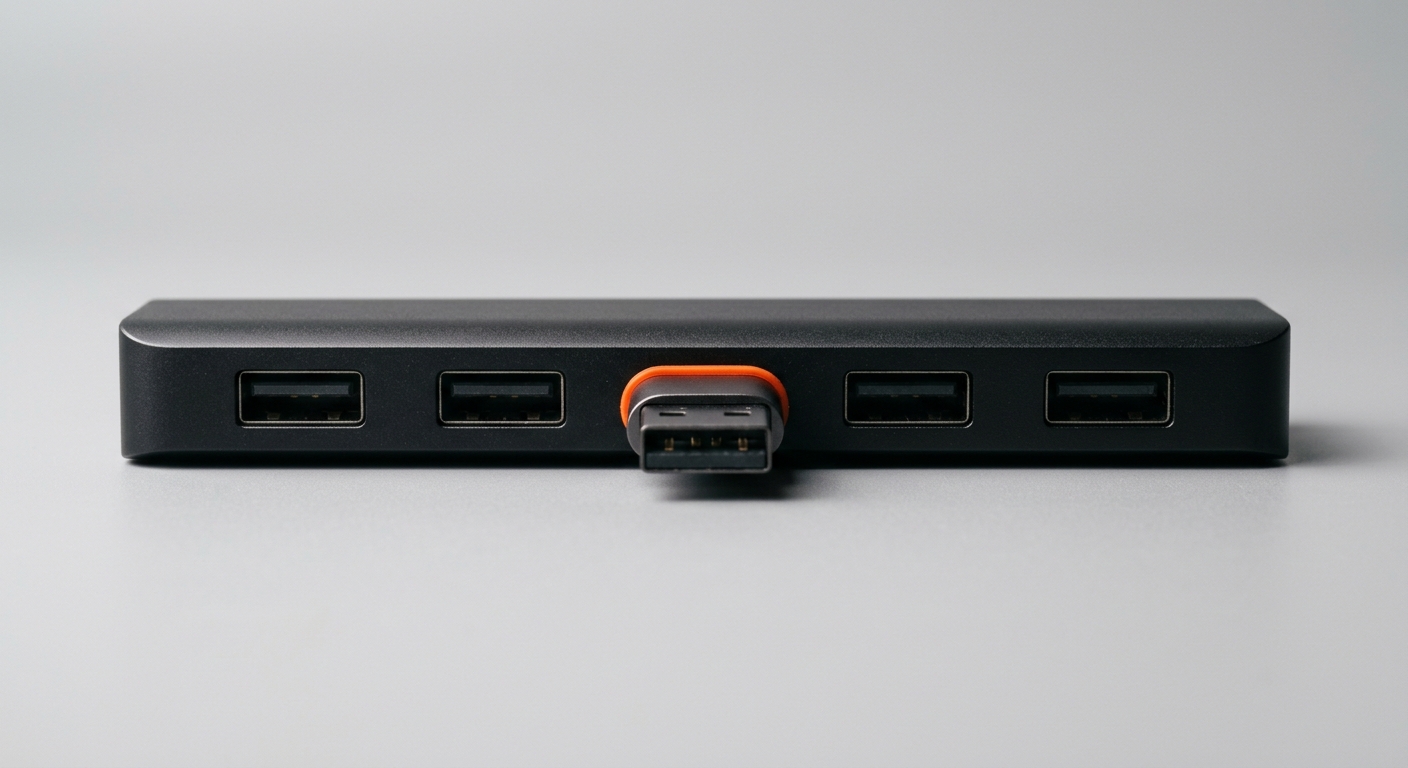
MCP is the open standard Anthropic released in November 2024 and then handed to the Linux Foundation in 20251,2. People call it the “USB-C of AI integrations” because it does exactly what USB-C did for cables: replace a drawer full of incompatible connectors with one shape that fits everything. Build one MCP server for a system, and any protocol-aware AI can use it. By March 2026, the MCP SDKs were being downloaded 97 million times a month, and more than 10,000 public MCP servers were live6.
This guide is for the CTO, IT lead, or Geschaeftsfuehrer at a German SME who keeps hearing “just connect it with MCP” and wants to know what actually exists, what is safe, and where the real work is. No hype. An honest map of the 2026 connector landscape, the vendors that shipped, the gaps middleware still fills, and how to connect an AI employee to the systems you already run.
TL;DR
MCP is an open standard that exposes any system, CRM, ERP, or file store, as tools an AI agent can call. Build one server, and Claude, ChatGPT, Gemini, or Copilot can all use it.
Real connectors shipped in 2026: HubSpot for CRM, Salesforce hosted MCP servers, Oracle for NetSuite, Sage for Intacct, and Microsoft for SharePoint.
Legacy ERPs still need an iPaaS or middleware layer. Workato, Boomi, MuleSoft, and CData now expose their connectors as MCP tools.
Private MCP servers let you wrap internal and custom systems that no vendor will ever cover, keeping data inside your network.
Governance is the hard part. Many public MCP servers carry flaws and few use OAuth. Scoped access, human approval for writes, and full logging are non-negotiable.
What MCP Actually Is (and What It Is Not)
The term gets used loosely, so let us be precise. The Model Context Protocol is a shared language between an AI agent and the tools it uses. An MCP server describes a system as a set of callable tools, each with a name, a description, an input schema, and a permission scope. The AI reads those descriptions and decides which tool to call to finish a task. The protocol handles the handshake, the request, and the response.
- An open standard, not a product - Anthropic published MCP in November 2024 and contributed it to the Linux Foundation’s new Agentic AI Foundation in 2025, alongside the goose agent and the AGENTS.md convention2,4. No single vendor owns it.
- A wrapper over your existing API, not a replacement - Most enterprise MCP servers sit on top of the system’s REST API. The Sage Intacct server, for example, is built on Sage’s existing REST APIs and simply presents them as agent-ready tools14.
- Client and server, like the web - The AI application is the MCP client. The connector is the MCP server. One client can talk to many servers, and one server can serve many clients. That is why a single HubSpot server works for Claude, ChatGPT, and Copilot alike.
- Tools, resources, and prompts - A server can expose actions the agent takes (tools), data it reads (resources), and reusable instructions (prompts). For business use, tools and resources are what matter.
- Model-agnostic by design - Because the protocol is standard, you are not locked to one AI vendor. Swap the model underneath and your connectors keep working. This is the same argument behind a model-agnostic Company Brain.
Why the standard exists
Before MCP, connecting M models to N tools meant building and maintaining M times N custom integrations. Each new AI or each new system multiplied the work. MCP turns that into M plus N: every system builds one server, every AI speaks one protocol. That is the entire point, and it is why adoption moved so fast.
MCP is not an API, an iPaaS, or an agent
The clearest way to understand MCP is to separate it from the three things people confuse it with.
| Layer | What it does | Who uses it | Relationship to MCP |
|---|---|---|---|
| Raw API | Exposes a system to code | Developers | MCP servers usually wrap an API |
| iPaaS / middleware | Moves data system-to-system | Integration teams | Now also exposes integrations as MCP tools |
| MCP server | Presents a system as agent tools | AI agents | Is the protocol itself |
| AI agent | Reasons, plans, calls tools | End users and workflows | Is the MCP client |
“Even the most sophisticated models are constrained by their isolation from data, trapped behind information silos and legacy systems.”
- Anthropic, introducing the Model Context Protocol1
Why Connectors Matter Now
The shift from chatbots to agents that take real actions is what turned connectors from a nice-to-have into the whole game. An agent that cannot reach your systems can only talk. An agent with connectors can work.
- Agents moved from talk to action - Gartner projects that 40 percent of enterprise applications will feature task-specific AI agents by the end of 2026, up from less than 5 percent in 202525. Those agents need to read and write across CRM, ERP, and ticketing to finish work.
- The standard won fast - MCP SDK downloads hit 97 million a month by March 2026, a jump of nearly three orders of magnitude in 18 months, and roughly 28 percent of Fortune 500 companies had deployed MCP6.
- Every major AI vendor speaks it - Anthropic, OpenAI, Google, and Microsoft all support MCP, so a connector you build is not a bet on one model5,7.
- SaaS vendors started shipping - HubSpot, Salesforce, Oracle, Sage, and Microsoft moved from watching to publishing official connectors within a year8,10,12,14,16.
- Integration cost is the real bottleneck - For most Mittelstand AI projects, the model was never the hard part. Getting the agent safely into SAP, DATEV, or a 15-year-old warehouse system is. That is the integration tax, and MCP is the first serious attempt to lower it.
The practical takeaway
You no longer choose a connector per AI vendor. You choose a connector per system, once. That single change is what makes an AI employee that works across email, CRM, and ERP economically realistic for a mid-sized company, not just an enterprise with a large integration team.
The 2026 Connector Landscape
Here is an honest map of what actually shipped, grouped by the kind of system. These are real connectors from real vendors, with their real limits. Names are named so you can verify them yourself.
CRM connectors
CRM was the first category to get serious native support, because sales and service teams were the loudest early adopters.
- HubSpot - Shipped the first native CRM connector for Claude and a public-beta MCP server8. Claude can read and update contacts, companies, deals, tickets, line items, and products, plus the full engagement history of calls, emails, meetings, notes, and tasks. It cannot reach custom objects, sensitive-data properties, or workflows, cannot delete anything, and binds one HubSpot account to one Claude account9.
- Salesforce - Made hosted MCP servers generally available in April 2026 across Enterprise Edition and above, and turned Agentforce into a native MCP client10,11. It built several layers, including MuleSoft’s API-to-MCP conversion and an AgentExchange for partner connectors, so agents can work with Salesforce data from Slack, Claude, or ChatGPT without switching context.
- Microsoft Dynamics and Dataverse - Reachable through Microsoft’s broader agent tooling and Agent 365 interoperability, letting Copilot and external MCP clients act on customer records under existing tenant governance17.
| CRM Connector | Type | Read / Write | Key limit |
|---|---|---|---|
| HubSpot | Official native + MCP server | Read and write, no delete | No custom objects or workflows |
| Salesforce | Official hosted MCP servers | Read and write | Enterprise Edition and above |
| Microsoft Dynamics | Via Agent 365 / Dataverse | Read and write | Tied to Microsoft tenant governance |
| Other CRMs | Via iPaaS or CData | Varies | Needs a middleware layer |
ERP connectors
ERP is where the value is highest and the ground is hardest. Cloud ERPs got official servers; older on-premise systems did not.
- Oracle NetSuite - Oracle built an official MCP server for NetSuite, so agents can query and act on financial and operational records directly12.
- Sage Intacct - Sage shipped an official MCP server built on its REST APIs, part of the Sage AI Gateway, letting third-party agents including Claude integrate directly into the Sage ecosystem13,14.
- SAP - SAP leans on the complementary A2A protocol for agent-to-agent collaboration through Joule, while agents use MCP to discover and consume tools from MCP servers on SAP BTP15. General availability of the enhanced interoperability is scheduled for late 2026, so today most SAP access still runs through middleware. Our deeper take is in AI agents for SAP.
- Microsoft Dynamics 365 Finance and Operations - Reachable through Microsoft’s agent stack and, for anything not natively exposed, through an iPaaS layer.
- Legacy and on-premise ERPs - SAP ECC, older Infor, Sage 100, and custom systems rarely ship a native server. These reach agents through the middleware covered in the next section. See also connecting an AI agent to your ERP.
| ERP | MCP status in 2026 | How agents reach it |
|---|---|---|
| Oracle NetSuite | Official MCP server | Direct connector |
| Sage Intacct | Official MCP server on REST APIs | Direct connector via Sage AI Gateway |
| SAP S/4HANA | MCP tools on BTP, A2A for agents | BTP servers or middleware |
| SAP ECC (legacy) | No native server | iPaaS / middleware |
| Custom / on-premise ERP | No native server | Private MCP server or iPaaS |
Collaboration and document connectors
This is where most tacit company knowledge actually lives, in files, sites, and threads, which makes these connectors quietly the most valuable for a Company Brain.
- Microsoft SharePoint and OneDrive - Microsoft offers a SharePoint and OneDrive MCP server for uploading files, reading metadata, searching, and managing lists. Employees can connect Claude, ChatGPT, Copilot, or Cursor to SharePoint without bypassing IT governance16,17. This is the backbone of a SharePoint knowledge base an AI can actually use.
- Microsoft Teams and Outlook - Reachable through Microsoft 365 agent tooling and Agent 365, so an agent can read threads and email in context under tenant controls17.
- Google Workspace - Drive, Gmail, and Calendar are covered by both Google’s own tooling and a large field of community and iPaaS servers.
- Confluence, Notion, and Slack - All have widely used MCP servers, official or community, for knowledge and communication.
Where the real knowledge hides
A CRM tells an agent what happened. SharePoint, Teams, and email tell it why. The most useful AI employees connect both: structured records for facts, unstructured stores for the reasoning and context that no database field ever captures. Connecting only the CRM leaves most of the company’s memory on the table.
Databases, e-commerce, and ticketing connectors
Beyond the headline CRM and ERP names, most of the work an AI employee does touches the long tail of business systems. This is where the ecosystem is broadest and least standardised, so read each connector’s limits carefully.
- Databases - PostgreSQL, MySQL, SQL Server, and Snowflake are reachable through official and community servers, often via CData, letting an agent query operational data directly. Grant read access first, and treat any write path to a production database as a high-risk action.
- E-commerce - Shopify and other storefronts have widely used MCP servers for orders, products, and customers, useful for agents that reconcile orders against fulfilment or answer stock questions.
- Ticketing and ITSM - Jira, ServiceNow, and Zendesk all have connectors, so a service agent can read a ticket, pull the related record from the CRM, and draft or post a response in one pass.
- German finance and payroll - DATEV and similar systems rarely ship a native MCP server, so for a Mittelstand finance workflow you almost always go through an iPaaS layer or a private server. Our take on this is in AI bookkeeping with DATEV.
- Communication - Slack, Gmail, and Outlook servers let an agent read and send messages in context, which is what turns a silent back-office agent into one that actually closes the loop with people.
| Category | Common connectors | Typical first use | Governance note |
|---|---|---|---|
| Databases | Postgres, MySQL, SQL Server, Snowflake | Read operational data | Read-only first, gate all writes |
| E-commerce | Shopify and storefront servers | Order and stock lookups | Scope to specific stores |
| Ticketing / ITSM | Jira, ServiceNow, Zendesk | Read and draft ticket replies | Human review before posting |
| German finance | DATEV via iPaaS or private server | Document and booking prep | Keep data in-country |
Not sure which systems to connect first?
Book a 30-minute call. We will map the connectors your highest-value workflow actually needs.
MCP vs A2A: Connectors Are Not the Whole Story
As soon as you have more than one agent, a second protocol enters the picture. MCP connects an agent to tools. A2A, the Agent2Agent protocol, connects agents to each other. Confusing the two leads teams to reach for the wrong standard, so it is worth being clear.
- MCP is agent-to-tool - It lets a single agent read your CRM, write to your ERP, or search SharePoint. This is what nearly every Mittelstand project needs first.
- A2A is agent-to-agent - Google introduced A2A in 2025 and contributed it to the Linux Foundation, with version 1.0 announced in April 2026. It standardises how agents built by different vendors delegate work to each other.
- They are complementary, not rivals - SAP is the clearest example: Joule acts as an A2A client to talk to external agents, while those agents use MCP to discover and consume tools from MCP servers15.
- Start with MCP - You get value from a single agent doing real work across your systems long before you need agents talking to agents. Add A2A when you genuinely have multiple specialised agents that must coordinate.
- Both are open and Linux-Foundation-governed - Neither locks you to a vendor, which is the whole reason to build on them rather than on a proprietary integration layer.
| Dimension | MCP | A2A |
|---|---|---|
| Connects | Agent to tools and data | Agent to other agents |
| Answers | How does my agent reach the CRM? | How do two agents split a task? |
| Maturity for SMEs | Ready now, connectors shipping | Earlier, useful once you run many agents |
| When you need it | The first agent | The fifth agent |
Do not over-buy
Most companies asking about A2A in 2026 do not yet have a single agent doing real work through MCP. Build the connector layer and prove one workflow first. Multi-agent orchestration is a real thing, covered in our piece on multi-agent orchestration, but it is a later problem, not a starting point.
iPaaS and Middleware for Legacy ERPs
Most Mittelstand companies do not run only cloud SaaS. They run a mix, and somewhere in that mix is a system too old, too custom, or too critical to have a native MCP server. This is where integration platforms earn their place, and in 2026 they all grew an MCP face.
- Workato - Offers a cloud-native platform with more than 1,200 connectors, including SAP, EDI, and IoT, and now exposes them for agent use19. Strong where you need many pre-built connectors fast.
- Boomi - Shipped a managed MCP service in May 2026 that connects Claude, Gemini, ChatGPT Enterprise, and Copilot to more than 1,000 enterprise tools, plus Agentstudio for designing and governing agents at scale18. Strong for hybrid setups with legacy systems.
- MuleSoft - Bought when a company wants a durable API operating model across Salesforce, SAP, Oracle, and legacy applications, with API-to-MCP conversion built into the Salesforce stack11,19.
- CData - Provides MCP servers for hundreds of systems, from Sage Cloud Accounting to Intacct, with read-only servers for quick starts and full CRUD through its managed Connect AI platform13. Strong for reaching databases and long-tail business apps.
- n8n and Zapier - Lighter-weight options that added MCP support, useful for simpler automations and smaller workflows.
| Platform | Best for | MCP support | Watch out for |
|---|---|---|---|
| Workato | Many pre-built connectors | Yes, agent tools | Consumption pricing adds up |
| Boomi | Hybrid and legacy estates | Managed MCP service (2026) | Setup time and pricing complexity |
| MuleSoft | Durable enterprise API layer | API-to-MCP conversion | Heavy and expensive for SMEs |
| CData | Databases and long-tail apps | Read-only and full CRUD servers | Read-only by default on many servers |
Native Connector vs iPaaS Layer
Native MCP Connector
- ✓ Vendor-maintained - the vendor updates it when the API changes
- ✓ Lower latency - fewer hops between agent and system
- ✓ Cleaner permissions - scopes map to the system’s own model
- ✗ Only exists for cloud systems - legacy and custom apps are left out
iPaaS / Middleware Layer
- ✓ Reaches legacy systems - wraps SAP ECC, custom DBs, on-premise apps
- ✓ One governance point - central logging and access control
- ✓ Reuses existing integrations - exposes what you already built
- ✗ Another layer to own - more cost, more moving parts
Private and Internal MCP Servers
No vendor will ever ship a connector for your homegrown quoting tool, your Access database from 2011, or the internal API only three people understand. Because MCP is an open standard, you build those yourself, and you keep them private.
- Wrap any internal API - If a system has an API, a script, or even a database, you can expose a controlled slice of it as an MCP server that only your agents reach.
- Data stays in your network - A self-hosted server means the connection lives inside your own infrastructure, which matters for DSGVO and for anything you would never send to a public endpoint.
- Scope down, not up - The right internal server exposes the few tools a workflow needs, not the whole system. A read tool and one narrow write tool beat full database access every time.
- Encode process, not just data - The best internal servers expose actions that match how your company actually works, for example “create a quote from these line items using our standard discount rules,” not raw table access.
- Own the maintenance - A private server is yours to keep working. That is a real cost, and it belongs in your connector governance from day one.
The Mittelstand advantage
Hidden champions run on systems no SaaS vendor has ever heard of, and that is usually seen as a disadvantage for AI. With private MCP servers it becomes the opposite. You can expose your specific, hard-won process logic to an agent in a way a generic tool never could, because you control exactly what the server does and what it refuses to do.
When to build a private server
| Situation | Native connector? | Recommended path |
|---|---|---|
| Homegrown internal app | Never | Private MCP server |
| Custom database | Never | Private server or CData |
| Legacy ERP | No | iPaaS or private server |
| Cloud SaaS with a server | Yes | Use the official connector |
| Highly sensitive process | Maybe | Private server for control |
What Connectors Cannot Do Yet
An honest map has to include the gaps. MCP connectors are real and useful, but they are not magic, and a few limits catch teams by surprise after go-live.
- Coverage is uneven - The official servers cover the biggest cloud systems. Older on-premise software, niche vertical tools, and most German-specific systems still need middleware or a private server.
- Write access is often narrow - Many connectors ship read-first. The HubSpot server cannot delete, several CData servers are read-only, and vendors are deliberately cautious about what an agent can change.
- Deep permissions rarely map cleanly - A system’s fine-grained role model does not always translate into MCP scopes, so you sometimes get coarser access than you want and have to compensate with your own controls.
- No connector fixes bad data - If your CRM is full of stale records, an agent with a perfect connector will act on stale records. Connectivity is not data quality. See why CRM data decays.
- Connectors move data, they do not remember - A connector gives an agent access in the moment. It does not retain the decisions, context, or people-knowledge that make the access useful over time. That is a job for a Company Brain, not a connector.
- Maintenance never ends - APIs change, servers break, and someone has to keep each connection working. This is real operational cost, whoever owns it.
The trap to avoid
Teams treat “we connected it via MCP” as the finish line. It is the starting line. A connector gives an agent the ability to act; whether it acts correctly, safely, and usefully depends on data quality, scoping, governance, and memory. Plan for all four, not just the plug.
Governance and Security
This is the section most connector guides skip, and it is the one that decides whether your project survives contact with your security team. MCP is a young ecosystem, and the data on public servers is sobering.
- Most public servers have flaws - Independent scans in 2026 repeatedly found that between 30 and 82 percent of public MCP servers carry exploitable weaknesses20,21.
- Almost none use OAuth - Only about 8.5 percent of scanned servers use OAuth, despite the spec recommending OAuth 2.1 with PKCE20.
- Tool poisoning is real - Malicious instructions hidden in tool descriptions or returned data can hijack an agent. One scan found tool-poisoning indicators in roughly 5.5 percent of servers, and a majority of servers had some security finding21.
- Injection is common - Command injection affected about 43 percent of tested servers, and path traversal affected 82 percent of those doing file operations21.
- A real CVE at scale - CVE-2025-6514, scored 9.6, hit the widely used mcp-remote proxy across more than 437,000 installed environments20. This is not theoretical.
The honest read
The protocol is sound. The danger is in unvetted servers and careless deployment, exactly as it was in the early days of npm packages and browser extensions. You do not solve this by avoiding MCP. You solve it by treating every connector as a piece of privileged software: vet it, scope it, log it, and never let an agent write or delete without a control in place.
The attack classes to know
| Attack class | What it does | Primary control |
|---|---|---|
| Tool poisoning | Hidden instructions in a tool description hijack the agent | Review descriptions, use vetted servers |
| Prompt injection via data | Malicious text in returned data redirects the agent | Treat tool output as untrusted, human review on writes |
| Command injection | Crafted input runs commands on the server host | Input validation, sandboxed servers |
| Path traversal | File tools reach outside their intended scope | Strict path allow-lists, least privilege |
| Token theft | Over-scoped or long-lived tokens get exfiltrated | OAuth 2.1, short-lived audience-bound tokens |
The controls that actually matter
MCP Connector Security Checklist
- Use OAuth 2.1 with PKCE and audience-bound, scoped tokens for every connector
- Prefer official or self-hosted servers over unvetted public ones
- Keep read access broad, but gate every write and delete behind explicit scopes
- Require human approval for sensitive or irreversible actions
- Log every tool call: user, client, server, arguments, target system, and result
- Pin and track which servers you depend on and who maintains each one
- Isolate connectors so a compromised one cannot reach unrelated systems
- Review tool descriptions for hidden or injected instructions before trusting a server
Microsoft, OWASP, and the Cloud Security Alliance all published MCP-specific guidance in 2026, and the consensus is consistent: treat MCP servers as OAuth 2.0 resource servers, enforce consent and authorization per client and per user, and monitor every invocation20,22,23,24. None of this is exotic. It is the same discipline you already apply to any system with write access to your data.
“The more often tech companies implement and improve upon this standard, the faster we work towards that plateau of productivity, and that’s what we need for increased enterprise adoption.”
- Jim Scheibmeir, Senior Director Analyst at Gartner3
How to Choose Connectors: A Practical Sequence
The mistake teams make is starting from the connector catalogue instead of the workflow. Do it the other way around. Pick the job first, then connect only what that job touches.
- Start from one workflow, not the system list - Name a single task an AI employee should own end to end, for example “draft the quote, log it in the CRM, and file the PDF in SharePoint.” The connectors follow from the task.
- Map the systems that task touches - Usually two to four: an inbox, the CRM, a file store, one line-of-business system. Ignore everything the workflow does not need.
- Check for an official connector first - If the system is HubSpot, Salesforce, NetSuite, Intacct, or SharePoint, use the vendor server. Least maintenance, cleanest permissions.
- Fall back to iPaaS for legacy - For SAP ECC, custom databases, or on-premise apps, reach them through Workato, Boomi, MuleSoft, or CData rather than waiting for a native server that may never come.
- Build private servers for the rest - For homegrown tools and sensitive processes, wrap a narrow slice of the internal API yourself.
- Decide read vs write per connector - Grant read widely, write narrowly. Every write path needs a scope and, for anything irreversible, a human checkpoint.
- Wire in governance before go-live - OAuth, logging, and approval flows are part of the build, not a later hardening phase.
- Prove one workflow, then expand - Get a single agent finishing a real task with real data before adding the next connector. Value compounds from working workflows, not from connector count.
Rule of thumb
If you cannot name the workflow, you are not ready to choose the connector. A connector with no job attached is cost and risk with no return. Every server you stand up should trace directly to a task someone actually wants an agent to finish.
Common Connector Mistakes to Avoid
- Wiring up every system before a single workflow works end to end
- Granting broad write access because it was easier than scoping it
- Using an unvetted public server for a system with sensitive data
- Skipping logging, so no one can reconstruct what an agent did
- Assuming a connector fixes data quality (it does not)
- Treating “connected” as done, with no owner for maintenance
- Choosing a connector per AI vendor instead of per system
- Building a private server when an official one already exists
A worked example: a quote-to-CRM agent
To make the sequence concrete, take a common Mittelstand task: a sales assistant drafts a quote, logs it in the CRM, and files the PDF where the team can find it. Here is how the connector decisions play out.
- Name the task - “Turn an inbound RFQ email into a drafted quote, a logged CRM deal, and a filed PDF.” One sentence, one owner.
- List the systems it touches - Outlook or Gmail for the email, the CRM for the deal, an internal pricing tool for the numbers, and SharePoint for the PDF. Four systems, no more.
- Match each to a connector - Email and SharePoint use Microsoft’s servers, the CRM uses its official server if it is HubSpot or Salesforce, and the pricing tool, being homegrown, needs a private MCP server exposing one “price these line items” tool.
- Set read and write per connector - Read the email, read the pricing tool, write a draft deal to the CRM, and write the PDF to a single SharePoint library. No delete anywhere.
- Add the human checkpoint - The agent drafts the quote and the deal, but a person approves before the quote goes to the customer. The write to the CRM is fine to automate; the send is not.
- Turn on logging - Every tool call is recorded, so if a quote is wrong, you can see exactly which record and which price the agent used.
- Prove it, then widen - Once this runs cleanly, the same four connectors already cover order confirmations and renewals. The second workflow costs a fraction of the first.
| System | Connector path | Access |
|---|---|---|
| Outlook / Gmail | Official server | Read only |
| CRM | Official server (HubSpot / Salesforce) | Write draft deal, no delete |
| Pricing tool | Private MCP server | Read, one scoped action |
| SharePoint | Microsoft server | Write to one library |
How Superkind Fits
Superkind builds a Company Brain and AI employees that connect to the real systems a company already runs, through exactly these kinds of connectors. We are one option among many, and we work best when the goal is an AI employee doing real work inside your stack, not a chatbot bolted on the side.
- Connectors as means, not the product - MCP servers are how we reach your email, Teams, SharePoint, CRM, and ERP. The product is an AI employee that finishes work, and a Company Brain that remembers how your company operates.
- Official connectors where they exist - When HubSpot, Salesforce, NetSuite, Intacct, or SharePoint ship a native server, we use it. Less to maintain, cleaner permissions, faster to live.
- Middleware and private servers for the rest - For legacy ERPs and homegrown systems, we use an iPaaS layer or build private MCP servers so your specific tools become reachable without a rip-and-replace.
- The Company Brain sits above the connectors - Connectors move data. The Company Brain retains the decisions, process context, and people-knowledge that no CRM field or file holds, and it survives staff turnover. This is the difference a Copilot-style assistant does not close.
- Learns from daily feedback - Your team corrects the AI employee in the flow of work, and it gets sharper. The connectors stay the same; the judgement improves.
- Governance built in - Scoped access, human-in-the-loop for sensitive writes, and full logging of every action, because we treat connectors as privileged software.
- Model-agnostic - Because everything runs on the open protocol, you are not locked to one AI vendor. Swap the model underneath and the connectors and Company Brain keep working.
- Outcomes, not connector counts - We connect what a workflow needs and prove it on real work, rather than selling a catalogue of integrations you will never use.
| Approach | DIY connectors | Generic AI assistant | Superkind |
|---|---|---|---|
| Connector strategy | You build and maintain each one | Limited to its own connectors | Official, iPaaS, and private as needed |
| Memory of how you work | None | Session only | Persistent Company Brain |
| Legacy systems | Your problem | Usually unreachable | Middleware or private server |
| Governance | You design it | Vendor defaults | Scoped, logged, human-in-the-loop |
| Improves over time | Only if you rebuild | No | Yes, from daily feedback |
Superkind
Pros
- ✓ Works inside your real systems - email, Teams, SharePoint, CRM, ERP via MCP connectors
- ✓ Reaches legacy and custom tools - middleware and private servers, not just cloud SaaS
- ✓ Company Brain above the connectors - retains knowledge that survives turnover
- ✓ Governance by default - scoped access, logging, human review for writes
- ✓ Model-agnostic - open protocol, no lock-in to one AI vendor
Cons
- ✗ Not a self-serve connector store - we work with your team, not a catalogue you wire alone
- ✗ Needs process access - we have to understand the real workflow, not just the systems
- ✗ Overkill for one simple sync - if you just need two apps talking, use Zapier
- ✗ Capacity-limited - we take on a focused number of clients at a time
Decision Framework: Which Path for Each System?
Use this to decide how to connect any given system, without over-engineering or waiting for a connector that may never ship.
| Signal | What it means | Action |
|---|---|---|
| Cloud SaaS with an official MCP server | Lowest maintenance path exists | Use the vendor connector directly |
| Legacy or on-premise ERP | No native server is coming soon | Reach it through an iPaaS layer |
| Homegrown or custom app | No vendor will ever cover it | Build a scoped private MCP server |
| Highly sensitive data | Control and audit trail are critical | Self-host, scope down, log everything |
| You cannot name the workflow | No job justifies the connector yet | Stop and define the task first |
| You need many connectors fast | Building each by hand will not scale | Use an iPaaS with a broad connector library |
Adopting MCP Now vs Waiting
Adopting Now
- ✓ The standard has won - every major AI vendor and many SaaS vendors already support it
- ✓ Connect once per system - not once per AI vendor, so the work compounds
- ✓ Governance patterns exist - OWASP, Microsoft, and CSA guidance is published
- ✓ Early workflows teach you - the first agent surfaces your real process gaps
Waiting
- ✗ Shadow AI grows - staff wire up unvetted connectors on their own
- ✗ Integration debt compounds - custom point-to-point work keeps piling up
- ✗ Competitors compound gains - working agents get better every month
- ✗ No safer later - the security work is the same whenever you start
Frequently Asked Questions
An MCP connector is a small server that speaks the Model Context Protocol, the open standard Anthropic released in November 2024. It exposes a specific system, for example your CRM, ERP, or SharePoint, as a set of tools an AI agent can call. Build one MCP server for a system and any protocol-aware AI, whether Claude, ChatGPT, Gemini, or Microsoft Copilot, can read and write to that system without a bespoke integration.
No. An API is a raw interface for developers to write code against. An MCP server usually sits on top of an existing API and packages it as agent-ready tools with names, descriptions, input schemas, and permission scopes that a language model can understand and choose between at runtime. Most MCP connectors for enterprise systems, including the Sage Intacct server, are built on the vendor REST API underneath.
HubSpot shipped the first native CRM connector for Claude. Salesforce made hosted MCP servers generally available in April 2026 and turned Agentforce into a native MCP client. Oracle built an official MCP server for NetSuite, and Sage shipped one for Intacct on top of its REST APIs. Microsoft offers a SharePoint and OneDrive MCP server. SAP leans on the complementary A2A protocol for agent-to-agent work while agents consume tools through MCP.
Legacy ERPs rarely ship a native MCP server, so most companies put an iPaaS or middleware layer in front. Platforms like Workato, Boomi, MuleSoft, and CData now expose their existing connectors as MCP tools, so a legacy SAP ECC or a custom database becomes reachable by an agent without a rip-and-replace. The middleware handles the old protocols and presents a clean MCP surface to the AI.
MCP connects an agent to tools and data, such as your CRM or a file store. A2A, the Agent2Agent protocol Google contributed to the Linux Foundation, connects agents to other agents so they can delegate work across vendor boundaries. They are complementary. SAP, for example, uses A2A so Joule can talk to external agents, while those agents use MCP to discover and call tools. Most Mittelstand projects start with MCP connectors and add A2A later.
They can be, but the ecosystem is uneven. Independent scans in 2026 found that a large share of public MCP servers carry exploitable flaws and only a minority use OAuth. The risk is not the protocol itself but poorly built or unvetted servers. Safe deployment means OAuth 2.1 with scoped tokens, human approval for write and delete actions, full logging of every tool call, and using vetted or self-hosted connectors rather than random public ones.
It depends on the connector. Some, like several CData servers, ship read-only by default, while the HubSpot connector can create and update contacts, deals, and activities but cannot delete anything. Write access is where governance matters most. A well-designed deployment keeps read access broad but gates every write and delete behind explicit permission scopes and, for sensitive actions, human review.
A private MCP server is one you build and host yourself to expose an internal system, a custom database, a proprietary tool, or a homegrown application that no vendor will ever ship a connector for. Because MCP is an open standard, you can wrap any internal API in a server that only your agents can reach, keeping the data inside your own network and under your own access controls.
Fewer than most teams expect at the start. A first useful AI employee usually needs two to four connectors, for example email, the CRM, SharePoint, and one line-of-business system. The value comes from connecting the systems a single workflow actually touches, not from wiring up everything at once. Start with the smallest set that lets an agent finish one real task end to end.
Not for most enterprises. iPaaS handles durable, high-volume system-to-system integration and now also exposes those integrations as MCP tools. MCP is the agent-facing layer; iPaaS is often the plumbing underneath, especially for legacy and on-premise systems. In 2026 the two are converging, with Boomi, Workato, and MuleSoft all shipping managed MCP services on top of their connector libraries.
MCP is an integration protocol, not a compliance framework, so it does not make you compliant on its own. What matters for the EU AI Act and DSGVO is where data flows, who can trigger which action, and whether you can produce an audit trail. Connectors that keep data inside your infrastructure, enforce scoped access, and log every tool call make it far easier to meet transparency and accountability obligations.
The MCP server has to be updated, just like any integration. Official vendor connectors, such as the Salesforce hosted servers or the Sage Intacct server, are maintained by the vendor, which lowers your maintenance burden. Community or self-built servers are your responsibility. This is why connector governance includes tracking which servers you depend on and who maintains each one.
Sources
- Anthropic - Introducing the Model Context Protocol (2024)
- Linux Foundation - Formation of the Agentic AI Foundation (MCP, goose, AGENTS.md)
- CIO Dive - Big Tech Builds Open Standards for Agentic AI (Jim Scheibmeir, Gartner)
- GitHub Blog - MCP Joins the Linux Foundation
- CData - 2026: The Year for Enterprise-Ready MCP Adoption
- DigitalApplied - MCP Adoption Statistics 2026
- SitePoint - Model Context Protocol: Complete 2026 Guide
- HubSpot / Seeking Alpha - HubSpot Launches First CRM Connector for Claude
- DigitalApplied - HubSpot MCP Server: AI Agent Integration Guide
- Salesforce Developers - Hosted MCP Servers Now Generally Available (April 2026)
- Salesforce - Agentforce MCP Support
- Settle - Which ERPs and CRMs Best Connect with Claude in 2026
- CData - Step-by-Step Guide to Launching an Intacct MCP Server in 2026
- Sage Developer Portal - Sage Intacct MCP Server
- SAP Architecture Center - A2A and MCP for Interoperability
- Merge.dev - SharePoint MCP Server
- Microsoft 365 Dev Blog - Agent 365 Interoperability
- Frends - Best iPaaS Platforms 2026, Compared
- Software Pricing Guide - MuleSoft vs Boomi vs Workato Pricing 2026
- Checkmarx - MCP Security: Risks, Real Incidents and Controls (2026)
- Practical DevSecOps - MCP Security Statistics 2026: CVEs and Breach Data
- Microsoft Security Blog - The State of MCP Security in 2026
- OWASP - MCP Security Cheat Sheet
- arXiv - Securing the Model Context Protocol: Risks, Controls, and Governance
- Gartner - 40% of Enterprise Apps Will Feature Task-Specific AI Agents by 2026
Ready to connect an AI employee to your systems?
Book a 30-minute call with Henri. We will map the connectors your highest-value workflow needs and outline a safe path to production - no commitment, no sales pitch.
Book a Demo →