
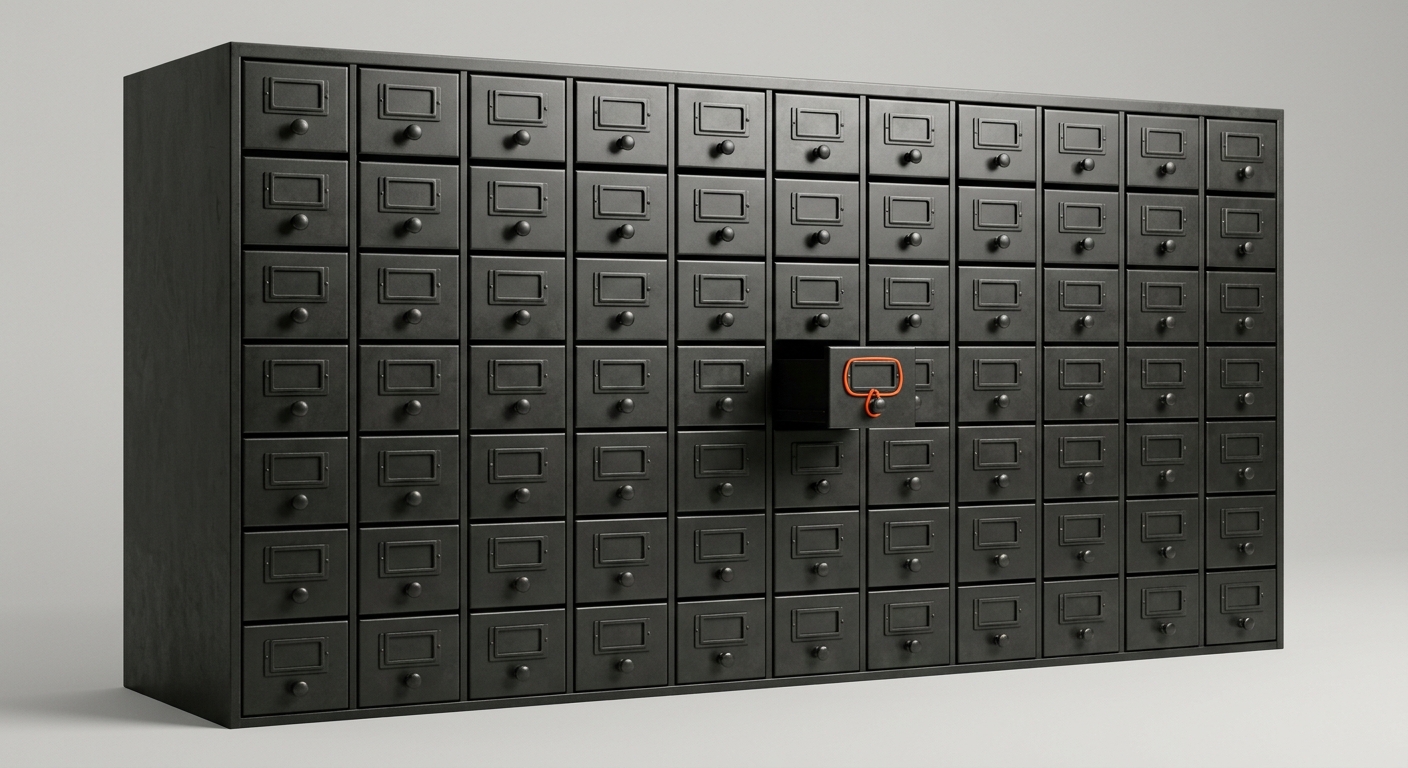
Most companies buy an enterprise search tool to solve a finding problem: people cannot locate the document, so buy a smarter search box. It works. You ask a question, the tool retrieves the right file and drafts an answer. Then you hit the wall every search tool shares: it can find the offer letter, but it does not know why you always add a two-week notice buffer for that supplier. It surfaces the process document, but not the three exceptions the person who wrote it kept in their head. When that person leaves, the document stays and the judgement walks out. The search box found the file. It never held the reasoning.
The market is racing anyway. Employees spend roughly 9.3 hours a week - about a fifth of the working week - searching for and gathering information, according to McKinsey6. IDC put the cost of that lost time at more than 5 million USD a year for every 1,000 knowledge workers7. Gartner predicts 40 percent of enterprise apps will embed task-specific AI agents by the end of 2026, up from less than 5 percent1. The enterprise search market was around 6.7B USD in 2025 and is forecast to reach 14.5B USD by 20348. Glean, the category leader, crossed 300M USD in ARR in May 2026 at a 7.2B USD valuation9,10,11.
This guide reviews the ten AI knowledge management and enterprise search tools that matter for enterprises and the Mittelstand in 2026 - Glean, Microsoft 365 Copilot, Atlassian Rovo, Guru, Notion AI, Dashworks, Moveworks, Shelf, Sinequa, and Coworker AI - across the whole category: universal enterprise search, curated knowledge bases, and answer agents. Then it makes the argument the search vendors will not: for the routine work, the durable win is not a better search box, it is a Company Brain that keeps your process knowledge and an AI employee that acts on it across the systems you already run.
TL;DR
Best standalone enterprise AI search: Glean (indexes every app into one permissions-aware knowledge graph, now runs agents on top).
Best if you live in Microsoft 365: Microsoft 365 Copilot with Work IQ (already in your tenant, deepest inside SharePoint, Teams, and Outlook).
Best if your knowledge is in Confluence and Jira: Atlassian Rovo (now bundled into paid Atlassian cloud plans).
Best curated knowledge base with AI: Guru (verified cards, governance) or Notion AI (workspace plus Enterprise Search).
Best agentic search on a mixed stack: Dashworks (up to 87 percent of internal questions automated); Moveworks (ServiceNow) for IT and HR answer deflection at scale.
Best for EU data residency: Sinequa (French, EU-based enterprise search with GraphRAG).
The durable win: a Company Brain that keeps how your company actually works when people leave, plus an AI employee that runs routine work across email, Teams, SharePoint, CRM, and ERP - more output without more headcount.
The line most comparisons skip: enterprise search finds and summarises what exists; it does not act on it, and it does not keep the reasoning that was never written down.
Why Enterprise Knowledge Is Breaking Right Now
Four forces are squeezing knowledge work at the same time. None of them ease in 2026.
- People cannot find what they need - McKinsey puts information-finding at roughly 9.3 hours a week, about a fifth of the working week6. Every hour spent hunting for a document or the colleague who knows something is an hour not spent on the actual job.
- The cost is measurable and large - IDC estimated that a company of 1,000 knowledge workers loses more than 5 million USD a year in wasted salary to time spent searching for or recreating information that already exists7. The document was there; nobody could find it, so someone rebuilt it.
- Knowledge is scattered across more apps every year - The average company runs knowledge across email, Teams, Slack, SharePoint, Confluence, a CRM, an ERP, a ticketing system, and a dozen shared drives. Each holds a partial copy of the truth, and none of them talks to the others.
- AI raised the stakes on data quality - Gartner warns that RAG-based assistants and agents often underperform at enterprise scale, primarily because of data source quality and retrieval relevancy2. Point an AI at a messy knowledge estate and it answers confidently and wrongly.
- Expertise keeps walking out the door - The reasoning behind a process, the exceptions an expert grants, who to involve in a tricky case: this lives in one person head and a few scattered files. When they leave, the reasoning leaves and the next hire rebuilds it from guesswork.
Key data point
Gartner predicts that 40 percent of enterprise applications will embed task-specific AI agents by the end of 2026, up from less than 5 percent in 20251. The bottleneck is no longer whether AI can search your knowledge - it is whether your knowledge is good enough to trust the answers, and whether anything acts on them once found. That is a memory and process problem, not a search-features problem.
Translation: the search box is not the bottleneck any more. The quality of the knowledge underneath, and whether anything acts on it, is.
| Pressure | Current state | Source |
|---|---|---|
| Time spent searching and gathering information | ~9.3 hours/week (~20% of the week) | McKinsey6 |
| Annual cost of not finding information | >5M USD per 1,000 knowledge workers | IDC7 |
| Enterprise apps with task-specific AI agents | 40% by end 2026, up from <5% | Gartner1 |
| Enterprise search market (2025 to 2034) | 6.7B to 14.5B USD | IMARC Group8 |
| Internal questions an agentic search tool can automate | Up to 87% | Dashworks21 |
| Glean ARR / valuation (2026) | 300M USD ARR / 7.2B USD | Glean, TechCrunch9,10,11 |
Search Finds, Memory Acts: The Distinction That Matters
Before comparing tools, get the category distinction right, because it decides what you actually buy. Enterprise search and a Company Brain solve related but different problems.
- Enterprise search retrieves - You ask, it finds the relevant documents across your apps and drafts an answer from them. The knowledge has to already exist as a file, a message, or a ticket. It is a reading tool: it hands you the answer to act on yourself.
- A knowledge base curates - You deliberately write down SOPs, policies, and how-tos, and AI helps people find and trust those cards. Clean and governed, but only as complete as what someone took the time to document.
- A Company Brain remembers and acts - It captures not just documents but the decisions, exceptions, and reasoning that normally live in peoples heads, and it lets an AI employee act on that memory across your systems - updating the CRM, drafting the reply, moving the process forward, not just describing it.
- The knowledge that was never written down - Search can only index what exists. The most valuable knowledge in most companies - why a process works, which exceptions are allowed, who signs off what - was never a document. A Company Brain is built to capture exactly that.
- What survives turnover - Search keeps the files an expert wrote. A Company Brain keeps the judgement they never wrote, so it does not leave when they do.
The honest framing
This is not search versus a Company Brain - most companies need both. Enterprise search is the fastest way to make the knowledge you already have findable. A Company Brain with an AI employee is how you keep the knowledge that was never written down and get routine work done on top of it. The mistake is buying a search box and expecting it to act on the knowledge or survive turnover. That is not what it is for.
| Dimension | Enterprise search | Knowledge base | Company Brain + AI employee |
|---|---|---|---|
| Core job | Find and summarise | Curate and verify | Remember and act |
| Needs new writing? | No - indexes what exists | Yes - you author cards | No - learns from real work |
| Captures unwritten reasoning | No | Only if documented | Yes |
| Acts across systems | No (answers only) | No | Yes |
| Survives turnover | Keeps files, not judgement | Keeps documented cards | Keeps decisions and rationale |
What Counts as an AI Knowledge Management Tool in 2026
The category labels overlap in marketing - enterprise search, cognitive search, knowledge management, answer engine, work assistant. The honest taxonomy is by what the tool actually does for you.
- Universal enterprise AI search - Indexes every app into one permissions-aware layer and answers over all of it with RAG. No new writing needed. Examples: Glean, Dashworks, Sinequa, and Microsoft Copilot within the Microsoft estate.
- Suite-native search and agents - Search and AI built into a platform you already pay for, deepest inside that vendors data. Examples: Microsoft 365 Copilot, Atlassian Rovo.
- Curated knowledge base with AI - A place you deliberately write and verify knowledge, with AI search on top. Examples: Guru, Notion AI, Shelf.
- Answer and support agents - Live in Teams, Slack, or a contact centre and resolve repetitive employee or customer questions end to end. Examples: Moveworks, Shelf, Dashworks.
- Knowledge graph from daily work - Build a continuously updated graph from what people actually do - messages, meetings, CRM activity - not just what they documented. Examples: Coworker AI, and Glean at the index layer.
- Company Brain plus AI employee - Not another search box. A shared living memory of how your company works, plus an AI employee that runs routine work across your existing systems. Covered in section 10.
Watch for “AI” as a marketing label
Every knowledge vendor now says “AI-powered.” The honest test: ask how the tool answers a question that depends on an unwritten exception - not a documented FAQ. And ask what happens to that knowledge when the person who knew it leaves. If the answer is “someone has to write it down first,” you are looking at retrieval, not memory. Both are useful. Only one survives turnover on its own.
| Category | Best for | Typical price | Examples |
|---|---|---|---|
| Universal enterprise search | Find anything across all apps | 10-50 USD / user / mo, enterprise floors | Glean, Dashworks, Sinequa |
| Suite-native search + agents | Search inside a suite you own | Add-on to existing licence | Microsoft Copilot, Atlassian Rovo |
| Curated knowledge base | Governed, verified answers | 10-30 USD / user / mo | Guru, Notion AI, Shelf |
| Answer / support agent | Ticket and question deflection | Custom enterprise | Moveworks, Shelf |
| Company Brain + AI employee | Routine work and process memory | Per use case | Superkind (custom) |
The 10 Tools, Reviewed
Shortlist built from Gartner and Forrester market coverage, published and reported pricing, verified vendor documentation, and DACH market feedback. Each entry covers what the tool does, who it fits, and the trade-off. Pricing is indicative for 2026 and should be confirmed with the vendor.
1. Glean - The Enterprise AI Search Leader
Palo Alto-based, and the reference point for the category. Glean indexes every app a company uses - email, docs, chat, tickets, CRM, code - into a single permissions-aware knowledge graph, so an employee search or AI answer never surfaces a document they could not already open9,11. It now runs an agent-building platform on top of that index. The company crossed 300M USD ARR in May 2026 at a 7.2B USD valuation, with 85 percent-plus of customers using it across five or more departments9,10.
- Origin - USA, Palo Alto.
- Primary use case - Universal enterprise AI search and an agent platform across a mixed application stack.
- Pricing - Custom-quoted; typically 40 to 50 USD per user per month with a roughly 100-seat minimum and a 60,000 USD-plus annual floor; advanced AI add-ons on top12.
- Strengths - Broadest connector coverage. Permissions-aware knowledge graph. Strong agent platform. Proven at large-enterprise scale.
- Weaknesses - Enterprise price and seat minimums put it out of reach for small teams. US vendor - EU data-residency due diligence needed. It finds and answers; acting on the knowledge across systems is a separate build.
- DSGVO - EU data centres available, but US legal jurisdiction; transfer-impact assessment advisable.
- Best for - Mid-to-large enterprises with knowledge scattered across many non-Microsoft apps.
2. Microsoft 365 Copilot - The Default If You Live in Microsoft
If most of your knowledge already sits in SharePoint, Teams, Outlook, and OneDrive, Copilot is the natural first move because it is already in your tenant. Work IQ, the intelligence layer, enriches Copilot and agents with an implicit understanding of your Microsoft 365 content plus line-of-business data ingested through Copilot connectors13,15. In May 2026 Microsoft launched the E7 Frontier suite bundling M365 E5, Copilot, and Agent 365 at 99 USD per user per month14.
- Origin - USA, Redmond (Microsoft).
- Primary use case - Search, drafting, and agents inside the Microsoft 365 estate.
- Pricing - 30 USD per user per month add-on on top of M365 (E3 at 36 USD, E5 at 57 USD); SMB Copilot Business at 21 USD; Copilot Studio credit packs at 200 USD per 25,000 credits; E7 Frontier at 99 USD13,14,15.
- Strengths - Deepest inside Microsoft 365. No new vendor to onboard. Copilot Studio for building internal agents. EU data boundary available.
- Weaknesses - Weaker across non-Microsoft apps than dedicated platforms. Answer quality depends heavily on SharePoint and Teams hygiene. US vendor - CLOUD Act due diligence needed.
- DSGVO - EU Data Boundary available; US jurisdiction remains; document a transfer-impact assessment.
- Best for - Microsoft-centric organisations wanting search and agents without adding a vendor.
3. Atlassian Rovo - The Confluence and Jira Pick
If your knowledge lives in Confluence and your work in Jira, Rovo is the obvious default. Atlassian now bundles Rovo into all paid Jira, Confluence, and Jira Service Management cloud subscriptions, with a monthly credit allowance per seat rather than a separate per-user charge16,17. Rovo provides chat, search across connected tools, and agents, with the highest-value features drawing from the credit pool.
- Origin - Australia, Sydney (Atlassian).
- Primary use case - Search and agents across Atlassian and connected tools.
- Pricing - Included in paid Atlassian cloud plans; monthly credit allowance per seat (roughly 25 to 150 credits depending on tier); Rovo Dev at 20 USD per developer16,17.
- Strengths - No separate licence for Atlassian customers. Deep in Confluence and Jira. Growing connector set. Credits scale with seats.
- Weaknesses - Credit model can surprise on cost for heavy use. Best value only if you are an Atlassian shop. Less broad than Glean across non-Atlassian data.
- DSGVO - EU hosting available via Atlassian data residency; confirm in the DPA.
- Best for - Atlassian-centric teams wanting search and agents without a new contract.
4. Guru - The Curated Knowledge Base with AI
Guru is a verified internal wiki with AI search on top: teams document processes, SOPs, and policies as cards, a verification workflow keeps them current, and the AI surfaces and answers from trusted cards inside Slack, Teams, and the browser18. Strong when you want governed, trustworthy answers rather than a search over everything.
- Origin - USA, Philadelphia.
- Primary use case - Curated, verified knowledge base with AI search and answers.
- Pricing - From about 25 USD per seat per month billed annually, with a ten-seat minimum (roughly 250 USD per month to start); Enterprise tier moves to negotiated usage-based pricing18.
- Strengths - Verification workflow keeps knowledge current. Lives in Slack and Teams. Good governance and analytics. Fast to start for SMBs.
- Weaknesses - Only as complete as what you document. Not a search over your whole app estate. Card upkeep needs an owner.
- DSGVO - US vendor; confirm EU hosting and DPA terms.
- Best for - Teams that want clean, governed answers for support, sales, and operations.
5. Notion AI - The All-in-One Workspace with Enterprise Search
Notion combines docs, wikis, and projects in one workspace, and its 2026 AI suite adds Notion Agent, AI meeting notes, and Enterprise Search that reaches beyond Notion into connected apps19,20. Full AI now lives on the Business plan. Popular with scale-ups that already run their knowledge in Notion and want AI without adding a separate tool.
- Origin - USA, San Francisco.
- Primary use case - All-in-one workspace with AI search, agents, and connected Enterprise Search.
- Pricing - Business plan at about 20 USD per user per month including the AI suite; custom agent credits at 10 USD per 1,000 credits; Enterprise custom19,20.
- Strengths - Docs, wiki, and AI in one place. Enterprise Search across connected apps. Simple, well-liked UX. Good value for Notion-native teams.
- Weaknesses - Strongest when knowledge already lives in Notion. Credit model for custom agents adds variable cost. Lighter enterprise governance than Glean or Sinequa.
- DSGVO - US vendor; confirm EU data handling and DPA.
- Best for - Scale-ups and teams that run their knowledge in Notion and want AI on top.
6. Dashworks - Agentic Enterprise Search on a Mixed Stack
Dashworks is an AI assistant that answers workplace questions by searching all your apps at once and fetching data live rather than from a stale index. It reports automating up to 87 percent of internal questions and integrates with Notion, Slack, Teams, GitHub, Google Workspace, Asana, and more21. Priced to be accessible where Glean is enterprise-only.
- Origin - USA, San Francisco.
- Primary use case - Agentic enterprise search and question answering across a mixed app stack.
- Pricing - From about 9.99 USD per user per month; an Answer API priced by usage and model on top21.
- Strengths - Accessible per-user pricing. Live retrieval from source apps. Strong question-deflection numbers. Broad connector set.
- Weaknesses - Lighter enterprise governance and scale than Glean. Usage-based API cost needs monitoring. US vendor - residency due diligence needed.
- DSGVO - US vendor; confirm EU hosting and DPA.
- Best for - Small and mid-sized teams wanting cross-app search without an enterprise floor.
7. Moveworks (ServiceNow) - The Answer Agent at Scale
Mountain View-based, and a front-end AI assistant plus enterprise-search platform that resolves employee questions across IT and HR at global scale, with omnichannel and multilingual support. ServiceNow acquired Moveworks in December 2025 for around 2.4B USD, folding it into ServiceNow agentic AI and automation26. Strong where you want ticket and question deflection rather than a research search box.
- Origin - USA, California (now ServiceNow).
- Primary use case - Employee-support answer agent across IT and HR at enterprise scale.
- Pricing - Custom enterprise; increasingly bundled with ServiceNow.
- Strengths - Global scale, multilingual, omnichannel. Strong deflection for combined IT and HR support. ServiceNow platform depth after the acquisition.
- Weaknesses - Heavier and more IT-centric than a pure knowledge search. Best value if you are a ServiceNow shop. US vendor - residency due diligence needed.
- DSGVO - Enterprise vendor; confirm EU hosting and sub-processors.
- Best for - Large enterprises, especially ServiceNow customers, wanting one answer agent across IT and HR.
8. Shelf - Knowledge Automation for Support and Contact Centres
Shelf focuses on knowledge automation for customer-facing teams: it curates, governs, and continuously improves knowledge, then delivers contextual answers to employees, agents, and customers through the contact centre and self-service, powered by its MerlinAI layer22. Strongest where knowledge quality directly drives support outcomes.
- Origin - USA, Stamford.
- Primary use case - Knowledge automation and answer delivery for support and contact-centre teams.
- Pricing - Custom; contact-centre and enterprise tiers.
- Strengths - Strong knowledge-quality tooling (gap detection, decay flags). Contact-centre and self-service focus. Governance built in.
- Weaknesses - Narrower than a universal enterprise search. Best fit is customer support, not broad internal knowledge. US vendor - residency due diligence needed.
- DSGVO - Confirm EU hosting and DPA for customer and employee data.
- Best for - Support and contact-centre teams where answer quality drives the numbers.
9. Sinequa - The EU-Based Enterprise Cognitive Search
Paris-based, and one of the few enterprise-grade cognitive search vendors headquartered in the EU. Sinequa indexes large, regulated document estates and layers GraphRAG and AI assistants on top, with a strong story for organisations that need both breadth and European data residency23,24. Common in regulated industries and the public sector.
- Origin - France, Paris.
- Primary use case - Enterprise cognitive search and RAG over large, regulated knowledge estates.
- Pricing - Custom enterprise; typically six figures per year.
- Strengths - EU vendor with a clean sovereignty story. Deep connector and security model. GraphRAG for complex, context-rich queries. Proven in regulated sectors.
- Weaknesses - Enterprise price and implementation weight. Overkill for small teams. More search platform than out-of-the-box assistant.
- DSGVO - EU vendor and hosting - structurally cleaner data-residency story.
- Best for - Regulated enterprises and the public sector that need breadth plus EU residency.
10. Coworker AI - The Knowledge Graph from Daily Work
Coworker AI takes a different angle: rather than only indexing documents, its knowledge graph captures what employees actually do across 100-plus tools - messages, meetings, and activity - to surface tacit knowledge that was never written down25. A newer entrant aimed squarely at the gap between documented and real knowledge.
- Origin - USA.
- Primary use case - Continuously updated knowledge graph built from daily work across many tools.
- Pricing - Custom; per-user and enterprise tiers.
- Strengths - Captures tacit knowledge from activity, not just documents. Broad tool coverage. Aims at the unwritten-knowledge gap directly.
- Weaknesses - Newer and less proven at scale than Glean. Capturing activity raises privacy and works-council questions. US vendor - residency due diligence needed.
- DSGVO - Confirm EU hosting, works-council posture, and DPA before indexing activity data.
- Best for - Teams wanting to surface knowledge people never took the time to document.
Honourable mentions
Squirro as a Swiss, EU-friendly GraphRAG and enterprise search vendor for regulated industries. GoSearch and Onyx as leaner enterprise-search challengers. Elastic and Sinequa for teams that want to own the search infrastructure. Bloomfire and Document360 as knowledge-base alternatives to Guru. Slack AI and Google Gemini for Workspace as suite-native options if you live in those tools. None are wrong picks; they just do not fit the broad, current profile as cleanly as the ten above. For the Copilot decision specifically, see our guide on Microsoft Copilot versus a Company Brain, and for the underlying data challenge our piece on making unstructured data useful.
At-a-Glance Comparison
Same data, side by side, scored on what drives a knowledge-tool decision - especially for a DACH buyer.
| Tool | Category | Best for | Indicative price | EU vendor | Acts on knowledge? |
|---|---|---|---|---|---|
| Glean | Universal search + agents | Mixed-stack enterprise | ~40-50 USD/user/mo | No (US) | Agents (build) |
| Microsoft 365 Copilot | Suite-native search | Microsoft shops | 30 USD/user/mo add-on | No (US) | Agents via Studio |
| Atlassian Rovo | Suite-native search | Confluence / Jira teams | Bundled + credits | No (AU) | Agents (credits) |
| Guru | Curated knowledge base | Governed answers | ~25 USD/seat/mo | No (US) | No (answers) |
| Notion AI | Workspace + search | Notion-native teams | ~20 USD/user/mo | No (US) | Notion Agent |
| Dashworks | Agentic search | SMB mixed stack | ~9.99 USD/user/mo | No (US) | Limited |
| Moveworks | Answer agent | IT + HR deflection | Custom enterprise | No (US) | Ticket actions |
| Shelf | Knowledge automation | Support / contact centre | Custom | No (US) | Support answers |
| Sinequa | Cognitive search | Regulated / public sector | Custom (6 figures) | Yes (FR) | No (answers) |
| Coworker AI | Knowledge graph | Tacit knowledge | Custom | No (US) | No (surfaces) |
EU-based vs US-based knowledge tools
EU-based (Sinequa, Squirro, a Company Brain hosted in the EU)
- ✓ Cleaner DSGVO story - EU vendor, EU hosting, no CLOUD Act parent
- ✓ Simpler transfer assessment - fewer cross-border hurdles for sensitive data
- ✓ Sovereignty fit - suits public sector and regulated industries
US-based (Glean, Copilot, Guru, Notion, Dashworks, Moveworks, Shelf, Coworker)
- ✗ CLOUD Act exposure - even with EU data centres
- ✗ Transfer-impact assessment needed - extra DSGVO documentation
- ✗ No-training clauses to negotiate - keep your data out of shared models
“AI agents will evolve rapidly, progressing from task and application specific agents to agentic ecosystems. This shift will transform enterprise applications from tools supporting individual productivity into platforms enabling seamless autonomous collaboration and dynamic workflow orchestration.”
- Anushree Verma, Senior Director Analyst at Gartner1
Not sure whether you need search or memory?
Book a 30-minute call. We will map where your knowledge lives, what search will fix, and where a Company Brain earns its place - honestly.

The Integration and Permissions Question
For any knowledge tool, two questions decide success before any AI feature matters: what can it connect to, and can it respect who is allowed to see what.
Connector depth
- Broadest across mixed stacks - Glean, Dashworks, and Sinequa are built to index many non-native apps at once - email, CRM, Confluence, ticketing, code, shared drives.
- Deepest inside one suite - Copilot is strongest across Microsoft 365; Rovo across Atlassian; Notion AI across Notion plus connected apps. Great if your knowledge lives there, weaker if it does not.
- Curated, not indexed - Guru and Shelf answer from knowledge you deliberately put in them, plus connected sources, rather than crawling everything.
- Acts, not just reads - Search tools answer questions about your systems. A Company Brain with an AI employee also updates the CRM, drafts the email, and moves the process forward inside those systems.
Permissions and the leak risk
- Permission-aware retrieval is non-negotiable - The serious platforms enforce your existing access controls at query time, so an AI answer never surfaces a document the person could not already open. Glean built its reputation on exactly this.
- The failure mode is a data leak - A tool that ignores source permissions will happily expose salary data, board minutes, or M&A files to whoever asks. This is the single biggest enterprise-search risk.
- Test before you trust - Roll out with a low-privilege account and confirm the AI cannot retrieve what that account cannot open. Do not take the demo on faith.
- Oversharing gets amplified - AI search exposes years of sloppy SharePoint permissions overnight. Clean up access before you switch it on, not after.
A pragmatic rule
Start your shortlist by asking where your knowledge actually lives. If it is 90 percent in Microsoft 365, Copilot is the cheapest good answer. If it is scattered across many apps, a dedicated platform earns its price. And before any rollout, audit permissions - AI search does not just find documents, it finds the ones you forgot were shared too widely. For the deeper data problem underneath, see our guide on turning SharePoint into a real knowledge base.
DSGVO, Data Residency, and the EU AI Act
A knowledge tool indexes some of the most sensitive data in the company. For a DACH buyer, three constraints shape the decision beyond features. None should be the only criterion, but each shifts the math.
DSGVO and data residency
- You are indexing personal data - Emails, HR files, customer records, contracts. Data minimisation, purpose limitation, and a lawful basis must be documented in your Verzeichnis der Verarbeitungstaetigkeiten.
- US vendors carry CLOUD Act exposure - Even with EU data centres, US-headquartered vendors are within reach of US legal compulsion. Document a transfer-impact assessment for Glean, Copilot, Guru, Notion, Dashworks, Moveworks, Shelf, and Coworker.
- EU vendors simplify the assessment - Sinequa (France) and Squirro (Switzerland), and an EU-hosted Company Brain, give you a structurally cleaner residency story.
- No-training clauses matter - Ensure your indexed knowledge is not used to train shared models. Get it in the DPA in writing.
Where the EU AI Act does and does not bite
- Most knowledge search is light-touch - Retrieving documents, summarising, and answering factual questions are minimal- or limited-risk. The main duty is transparency: tell people they are interacting with AI.
- It turns high-risk by use, not by category - The same tool becomes high-risk when used for Annex III purposes such as HR decisions, credit scoring, or safety-critical functions27.
- Confidence is a compliance risk - Gartner warns RAG assistants underperform at scale due to data quality2. A tool that answers wrongly but confidently creates its own liability, regardless of AI Act tier.
- Works councils care about activity capture - Tools that index employee activity, not just documents, can trigger co-determination in Germany. Involve the Betriebsrat early.
| Knowledge AI use case | Likely EU AI Act status | What it means for you |
|---|---|---|
| Searching and summarising documents | Minimal / limited-risk | Transparency: say it is AI |
| Answering employee or customer questions | Limited-risk | Disclose AI; keep a human escalation path |
| Indexing employee activity data | DSGVO and co-determination | Works-council agreement, minimisation |
| Feeding an HR or credit decision | High-risk (Annex III) | Full deployer obligations apply |
| Acting in systems on your behalf | Depends on the action | Human oversight for consequential steps |
The honest takeaway
Knowledge search itself is rarely high-risk under the AI Act, so do not let vendors scare or reassure you with the wrong framing. The real obligations are DSGVO ones: what personal data is indexed, where it is hosted, who can retrieve it, and whether it trains someone elses model. Get EU hosting, a signed DPA, a no-training clause, and permission-aware retrieval in writing - those four points matter more than the AI Act tier for most knowledge deployments.
8 Criteria for Picking a Tool
Apply these in order. The first three are gating; the rest are weighting criteria for finalists.
- Where your knowledge actually lives - Microsoft-heavy favours Copilot; Atlassian-heavy favours Rovo; scattered favours Glean, Dashworks, or Sinequa. Buying against your real estate is the most expensive mistake.
- Permission-aware retrieval - Non-negotiable. The tool must enforce your existing access controls at query time, or it becomes a data-leak engine.
- Data residency and DSGVO posture - EU hosting, signed DPA, no-training clause. EU vendors carry structurally lower risk for sensitive knowledge.
- Retrieval quality on your real data - RAG underperforms on messy estates. Pilot on your actual documents, not the vendors clean demo corpus.
- Adoption where people work - Anything meant for daily use must live in Teams, Slack, or email. A portal nobody opens delivers zero value.
- Find versus act - Decide honestly whether you need answers to read or work to get done. Search gives the first; a Company Brain with an AI employee gives the second.
- Total cost versus the manual baseline - Licence plus implementation plus permission cleanup plus change management. Compare against the hours actually saved, not the demo promise.
- Knowledge retention - What happens to unwritten process knowledge when the expert leaves? A tool that only indexes documents leaves you exposed.
| Criterion | Weight | Pass condition |
|---|---|---|
| Where knowledge lives | Gating | Matches your real app estate |
| Permission-aware retrieval | Gating | Enforces existing access at query time |
| Residency and DSGVO | Gating (DACH) | EU hosting, DPA, no-training |
| Retrieval quality on real data | High | Accurate on your messy corpus, not the demo |
| Adoption in the flow of work | High | Lives in Teams, Slack, or email |
| Find vs act | High | Matches whether you need answers or work done |
| Total cost vs baseline | Medium | Saves more hours than it costs |
| Knowledge retention | Medium | Unwritten knowledge survives turnover |
Common Pitfalls
Most failed knowledge-tool deployments share these six failure modes. They are predictable and avoidable.
- Buying search for an acting problem - You wanted routine work done and bought a tool that only answers questions. Mitigation: separate finding from doing before you buy, and match the tool to the real need.
- Turning on AI over a permissions mess - AI search surfaces every over-shared file overnight. Mitigation: audit and clean access before rollout, and insist on permission-aware retrieval.
- Piloting on clean demo data - The vendor corpus is tidy; yours is not, and the AI answers confidently and wrongly. Mitigation: pilot on your real, messy documents and measure accuracy honestly.
- Ignoring where knowledge lives - Buying a broad platform when 90 percent of knowledge is in Microsoft 365, or Copilot when it is scattered. Mitigation: map your estate first, then choose.
- Nobody owns knowledge quality - The tool retrieves outdated or contradictory documents because no one curates. Mitigation: assign an owner for verification and decay, especially for knowledge-base tools.
- Losing the unwritten knowledge at handover - The tool indexed the files, but the reasoning behind them lived in one head and left with them. Mitigation: capture decisions and rationale in a living memory the whole team - and an AI employee - can use.
Acting Now vs Waiting
Acting Now
- ✓ Reclaim the search tax - a fifth of the week spent finding things drops fast
- ✓ Deflect the question flood - up to 87% of internal questions answered automatically
- ✓ Capture knowledge before it leaves - not after the expert has gone
- ✓ Clean permissions now - on your terms, not after a leak
Waiting
- ✗ The search tax compounds - hours lost every week, every team
- ✗ Knowledge keeps walking out - every departure resets the next hire
- ✗ Shadow AI fills the gap - people paste company data into consumer chatbots
- ✗ Competitors get leaner - the ones acting now widen the gap
Buy Search or Build a Company Brain?
Enterprise search covers 70 to 90 percent of the finding problem. Buy it for retrieval - do not build that. The last 10 to 30 percent is where companies get stuck: acting on the knowledge across systems, following your exact processes and exceptions, and keeping process knowledge when people leave. That is not a search gap - it is a memory and process gap.
| Option | What you get | When it fits |
|---|---|---|
| Buy enterprise search | One of the tools above, indexing your apps | Finding and summarising what already exists |
| Add a knowledge base | Guru, Notion, or Shelf for curated answers | Governed, verified knowledge for support and ops |
| Company Brain plus AI employee | Living memory plus an AI employee that runs routine work across systems | Company-specific processes, exceptions, and staff turnover |
Enterprise Search vs Company Brain plus AI Employee
Enterprise Search
- ✓ Fast to start - connect apps, index, search in weeks
- ✓ No new writing - indexes what already exists
- ✓ Predictable cost - per user or per seat
- ✗ Only finds - it does not act on the knowledge
- ✗ Keeps files, not judgement - unwritten knowledge still leaves
Company Brain plus AI Employee
- ✓ Knows how YOU work - your processes, exceptions, and tone
- ✓ Acts across systems - email, Teams, SharePoint, CRM, ERP
- ✓ Survives turnover - decisions and rationale stay in the Brain
- ✗ Higher upfront effort - weeks to set up, not minutes
- ✗ Needs process access - it learns your real work, not slides
The hybrid pattern that usually wins
For most companies the right answer is: enterprise search (Glean, Copilot, or a curated base) for the 80 percent finding problem, plus a Company Brain and an AI employee for the 20 percent that search cannot reach - the routine work that depends on your exact processes, and the knowledge that must survive when people leave. Search makes your knowledge findable; the Brain keeps the reasoning; the AI employee does the work across every system.
“Cognitive search will become the brains of accurate agentic AI.”
- Forrester, Cognitive Search Platforms research, 20264
How Superkind Fits
Superkind does not sell another search box. The ten tools above are good, and we recommend them for finding knowledge. Superkind comes in where search stops: keeping the process knowledge and decisions that were never written down, and taking over the routine work in your exact processes and voice - across the systems you already run - more output without more headcount.
- Company Brain as living memory - One source of how your company actually works: processes, the reasoning behind them, the exceptions you grant, and how you handle edge cases. The knowledge stops living in one person head.
- Survives turnover - When an expert leaves, the decisions and rationale stay in the Brain, and the next hire inherits them on day one instead of rebuilding from guesswork over months. This is the gap our readers on institutional amnesia and capturing expertise before experts retire know well.
- AI employee that acts, not just answers - It does not only find the document; it updates the CRM, drafts the reply, chases the missing input, and moves the process forward - the difference between search and work.
- Connected to the systems you already run - Email, Microsoft Teams, SharePoint, your CRM, and your ERP. People stay where they work; nothing gets ripped out.
- Learns from daily feedback - Every correction your team makes teaches the Brain, so the AI employee gets more precisely aligned to how your company actually works over time. More on this in our guide to the AI knowledge transfer that makes it stick.
- More output without more headcount - The team grows in output, not headcount. People move from answering the same questions to the work that needs judgement.
- DSGVO-ready by design - EU hosting, full data residency, audit logs, signed DPA, no-training on your data, and permission-aware access from day one.
- Plays well with the search tools - We run alongside Glean, Copilot, or your knowledge base. They find and summarise; the Brain and the AI employee handle the company-specific work and keep the knowledge.
| Approach | Enterprise search tool | Superkind Company Brain + AI employee |
|---|---|---|
| Best at | Finding and summarising documents | Routine work in your exact processes and voice |
| Knowledge | Indexes what exists | Keeps decisions and unwritten reasoning |
| Action | Answers questions | Acts across email, Teams, SharePoint, CRM, ERP |
| Turnover | Keeps files, not judgement | Decisions stay in the Brain |
| Pricing | Per user or per seat | Per use case, tied to outcome |
Superkind
Pros
- ✓ Knows how you work - your processes, exceptions, and tone
- ✓ Acts across systems - email, Teams, SharePoint, CRM, ERP
- ✓ Survives turnover - process knowledge stays in the Brain
- ✓ DSGVO by default - EU-hosted, no-training, signed DPA
- ✓ Outcome-based pricing - tied to output, not seat counts
Cons
- ✗ Not a self-serve search box - we set it up with your team
- ✗ Not a replacement for Glean or Copilot - it runs alongside them
- ✗ Requires process access - it learns your real work
- ✗ Capacity-limited - focused number of clients at a time
Frequently Asked Questions
There is no single winner - it depends on your stack. Glean is the strongest standalone enterprise AI search platform: it indexes every app into one permissions-aware knowledge graph and now runs agents on top. If you live in Microsoft 365, Copilot with Work IQ is the natural default because it is already in your tenant. If your knowledge sits in Confluence and Jira, Atlassian Rovo is included in your paid plans. For a curated internal wiki, Guru or Notion AI lead. For the routine work that search cannot do - acting on the knowledge and keeping it when people leave - a Company Brain with an AI employee is the durable answer.
Enterprise search finds and summarises documents that already exist. You ask a question, it retrieves the relevant files and drafts an answer. A Company Brain is living memory: it captures not just documents but the decisions, exceptions, reasoning, and process knowledge that usually live in peoples heads, and it lets an AI employee act on that memory across your systems. Search hands you the answer to read; a Company Brain plus an AI employee does the work and keeps the knowledge when the person who had it leaves.
It ranges widely. Dashworks starts around 9.99 USD per user per month. Notion AI is bundled into the Business plan at about 20 USD per user per month. Microsoft 365 Copilot is a 30 USD per user per month add-on on top of your M365 licence. Guru starts at about 25 USD per seat per month with a ten-seat minimum. Glean is custom-quoted, typically 40 to 50 USD per user per month with a roughly 100-seat minimum and a 60,000 USD-plus annual floor. Sinequa and Moveworks are six-figure enterprise contracts. Always add implementation, integration, and change-management cost on top.
If nearly all your knowledge already lives in Microsoft 365 - SharePoint, Teams, Outlook, OneDrive - Copilot with Work IQ is often good enough and it is already in your tenant, which makes it the cheapest starting point. Glean and other dedicated platforms earn their price when your knowledge is scattered across many non-Microsoft apps (Salesforce, Confluence, Slack, Google Workspace, ServiceNow, GitHub), because they index all of them into one permissions-aware graph rather than favouring one vendors estate. The honest test is where your knowledge actually lives, not which brand you trust.
The serious platforms do. Glean, Microsoft Copilot, and the other enterprise-grade tools enforce permissions at query time, so an AI answer never surfaces a document the person could not already open. This is the single most important thing to verify: a tool that ignores source permissions will happily leak salary data, board minutes, or M&A files to whoever asks. Ask every vendor how they inherit and enforce your existing access controls, and test it with a low-privilege account before you roll out.
Most knowledge search and question-answering is not high-risk. Retrieving documents, summarising, and answering factual questions fall under minimal-risk or limited-risk use, where the main duty is transparency - telling people they are interacting with AI. It becomes high-risk only when the same system is used for Annex III purposes such as HR decisions, credit scoring, or safety-critical functions. The practical rule: knowledge search itself is light-touch, but you still owe DSGVO compliance for the personal data it indexes, and you must document what the AI can access.
For DACH buyers, weigh data residency alongside features. Sinequa is a French, EU-based enterprise search vendor with a strong sovereignty story. Microsoft Copilot and Glean both offer EU data centres but remain US-headquartered, which carries CLOUD Act exposure that needs a transfer-impact assessment. Any tool that indexes sensitive employee, customer, and commercial data must have EU hosting, a signed DPA, and a no-training clause in writing. For German Mittelstand companies, a Company Brain hosted in the EU keeps both the knowledge and the residency story clean.
A knowledge base (Guru, Notion, Shelf) is a place you deliberately write down knowledge - SOPs, policies, how-tos - and the AI helps people find and trust those curated cards. Enterprise search (Glean, Dashworks, Sinequa) does not require you to write anything new; it indexes the knowledge already scattered across your existing apps and answers over all of it. Knowledge bases give you clean, governed answers but only for what someone took the time to document. Enterprise search covers everything but inherits the messiness of your real data. Many companies use both.
Not wholesale, but they change the work. Dashworks reports it can automate up to 87 percent of internal questions, and agents like Moveworks deflect a large share of IT and HR tickets. That frees knowledge managers and service-desk staff from answering the same questions repeatedly and lets them focus on curating quality, governing access, and handling the exceptions AI cannot. The risk is the opposite of replacement: if nobody owns knowledge quality, the AI confidently retrieves outdated or wrong documents. The human role shifts from answering to curating.
This is the gap that search alone does not close. Enterprise search indexes the documents an expert wrote, but not the reasoning they never wrote down - why a process works the way it does, which exceptions they grant, who to involve in a tricky case. When they leave, that judgement leaves too. A Company Brain captures those decisions and rationale as living memory an AI employee can act on, so the next hire inherits it on day one instead of rebuilding it from guesswork. Capture it before the person goes, not after.
The enterprise-grade ones do. Glean, Microsoft Copilot, Dashworks, and Sinequa ship connectors to the common systems - email, Teams, Slack, SharePoint, Salesforce, Confluence, ServiceNow - and index them into one searchable layer. The depth varies: Copilot is deepest inside Microsoft 365, Rovo inside Atlassian, and dedicated platforms broadest across mixed stacks. A Company Brain with an AI employee goes one step further: it does not just read those systems, it acts in them - updating the CRM, drafting the email, moving the process forward - not only answering a question about them.
Buy search for finding and summarising the knowledge you already have - do not build that. The build question is about the work search cannot do: acting on the knowledge across your systems, following your exact processes and exceptions, and keeping that process knowledge when staff leave. A custom AI employee on a Company Brain sits alongside your search tool and handles exactly that in your voice and your rules. The pattern that usually wins is enterprise search for retrieval plus a Company Brain and an AI employee for the routine work and the memory that has to survive turnover.
Sources
- Gartner - 40% of enterprise apps will feature task-specific AI agents by 2026 (Anushree Verma)
- Gartner - Market Guide for Enterprise AI Search
- Gartner - Top Trends for Data and Analytics 2026 (GraphRAG)
- Forrester - The Agentic Age Needs a Cognitive Operating Model
- Forrester - Predictions 2026: AI Agents and Enterprise Software
- McKinsey - The social economy: value and productivity through social technologies (time spent searching)
- IDC - The High Cost of Not Finding Information (white paper)
- IMARC Group - Enterprise Search Market Size and Forecast to 2034
- Glean - Surpasses $300M ARR (press release)
- TechCrunch - Glean crosses $300M ARR as AI budget cutting becomes its selling point
- Glean - Series F at $7.2B valuation
- Glean - Pricing and plans 2026 (Vendr marketplace)
- Microsoft - Microsoft 365 Copilot plans and pricing
- Microsoft 365 Copilot Pricing and Licensing: Enterprise Guide 2026 (EPC Group)
- Microsoft - Copilot Studio pricing and agents
- Atlassian - Rovo plans and licensing
- eesel AI - Atlassian Intelligence and Rovo pricing explained
- Guru - AI-powered knowledge management pricing
- Notion - Pricing (Free, Plus, Business, Enterprise)
- eesel AI - Notion pricing 2026 breakdown
- Dashworks - AI assistant for workplace questions
- Shelf - Knowledge automation platform (SaaSworthy profile)
- Sinequa - What is enterprise search and how it helps
- Squirro - State of RAG and GenAI 2026 (GraphRAG)
- Coworker AI - Best enterprise AI platforms for knowledge management
- ServiceNow - FY2025 Form 10-K (Moveworks acquisition)
- EU AI Act - Annex III: High-Risk AI Systems
- GoSearch - Gartner Market Guide for Enterprise AI Search: what it means for 2026
Ready to turn found knowledge into finished work?
Book a 30-minute call with Henri. We will look at where your knowledge lives, what enterprise search will fix, and where a Company Brain with an AI employee earns its place, and tell you honestly whether search, a Company Brain, or a hybrid is right for you.
Book a Demo →